EasyManua.ls Logo

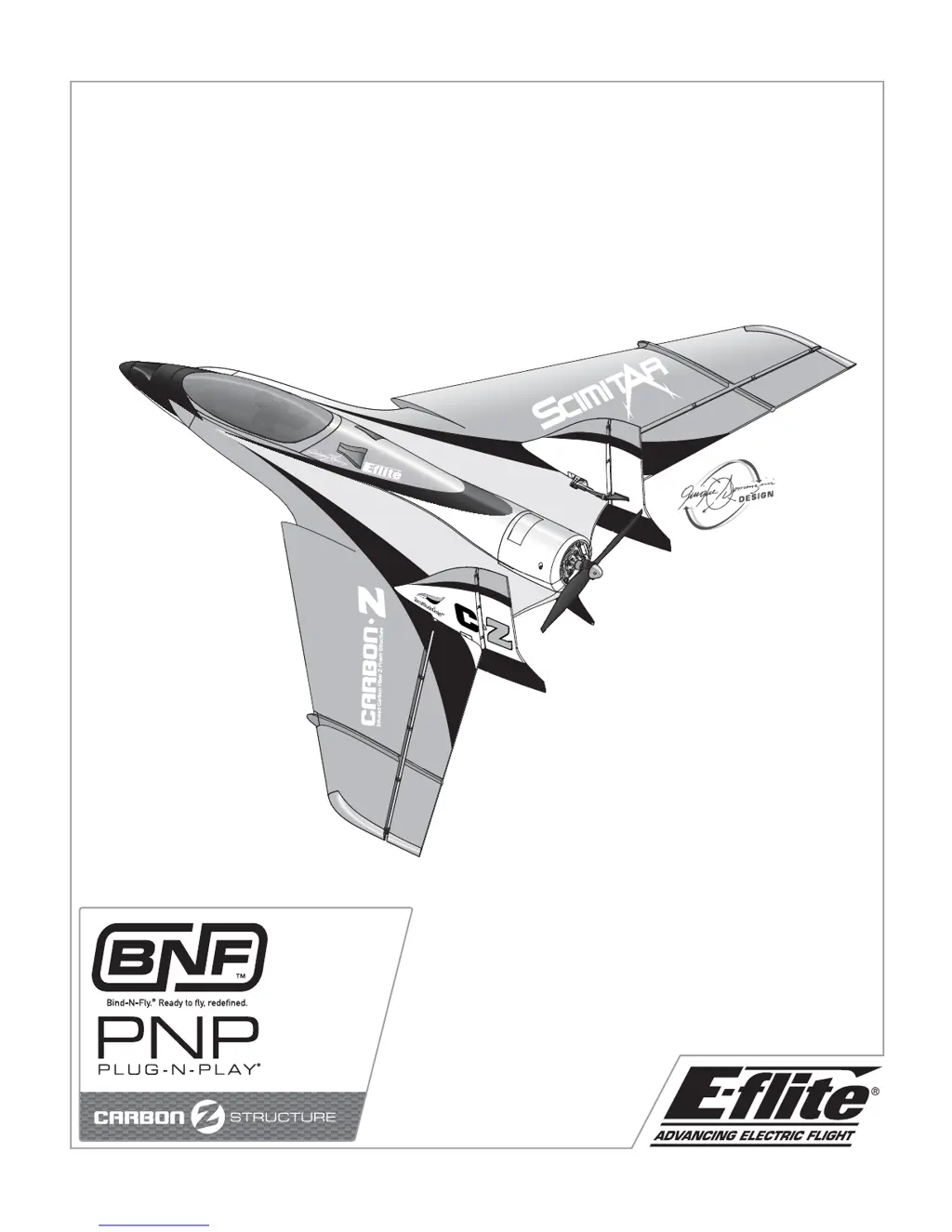
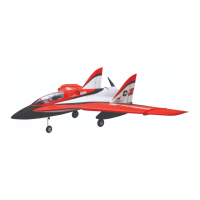
E-FLITE Carbon-Z Scimitar - User Manual

E-FLITE Carbon-Z Scimitar
28 pages
Print Icon
To Next Page IconTo Next Page
Loading...
Carbon-Z
TM
Scimitar
TM
Instruction Manual - Bedienungsanleitung - Manuel d’utilisation - Manuale di Istruzioni

Questions and Answers

  • G
    george55Aug 16, 2025
    What to do if E-FLITE Carbon-Z Scimitar Toy aircraft will not bind to transmitter?
    • D
      davidwallaceAug 17, 2025
      If the E-FLITE Toy aircraft will not bind to the transmitter, move the powered transmitter a few feet away from the aircraft, and then disconnect and reconnect the flight battery to the aircraft. Ensure that neither the aircraft nor the transmitter is too close to any large metal objects. Verify that the bind plug is correctly installed in the bind port extension. Replace or recharge the batteries if the flight battery or transmitter battery charge is too low. Ensure the ESC switch is powered on.
  • P
    Patricia BrownAug 20, 2025
    How to fix E-FLITE Carbon-Z Scimitar if it does not respond to throttle?
    • M
      Michael KingAug 21, 2025
      If the E-FLITE Toy aircraft does not respond to the throttle but responds to other controls, reset the controls with the throttle stick and throttle trim at the lowest setting. Ensure that the throttle servo travel is 100% or greater. If the throttle channel is reversed, reverse the throttle channel on the transmitter.
  • R
    Ryan LewisAug 25, 2025
    Why does E-FLITE Carbon-Z Scimitar Toy motor power pulse then lose power?
    • T
      Tara SawyerAug 25, 2025
      If the E-FLITE Toy aircraft's motor power pulses and then loses power, recharge the flight battery or replace it if it is no longer performing well. If the weather is too cold, postpone the flight until it is warmer. If the battery is old, worn out, or damaged, replace it. If the battery C rating is too small, use the recommended 25C battery.
  • S
    Sharon NealAug 28, 2025
    What to do if control surface on E-FLITE Carbon-Z Scimitar does not move?
    • C
      Chris SinghAug 28, 2025
      If a control surface on the E-FLITE Toy aircraft does not move, replace or repair any damaged control surfaces, control horns, linkages, or servos, and adjust the controls. Check the wires and connections, connecting or replacing them as needed. Re-bind the transmitter or select the correct model in the transmitter. Replace the ESC if the Battery Elimination Circuit (BEC) of the ESC is damaged. Ensure the ESC switch is powered on.
  • K
    Kayla Phillips DDSAug 31, 2025
    Why E-FLITE Carbon-Z Scimitar has reduced flight time or is underpowered?
    • J
      Judith FloresAug 31, 2025
      If you are experiencing reduced flight time or the E-FLITE Toy aircraft is underpowered, completely recharge the flight battery. Ensure the propeller is installed correctly with the numbers facing forward. Replace the flight battery if it is damaged and follow the battery instructions. Make sure the battery is warm before use if flight conditions are too cold. Replace the battery or use a larger capacity battery if the battery capacity is too low for the flight conditions.
  • M
    Mitchell MannSep 4, 2025
    How to fix extra propeller noise or vibration in E-FLITE Carbon-Z Scimitar?
    • S
      Shelley ColemanSep 4, 2025
      If you notice extra propeller noise or vibration in your E-FLITE Toy aircraft, replace any damaged propellers, spinners, collets, or motors. If the propeller is out of balance, balance or replace it.
  • B
    browncassidySep 8, 2025
    How to fix reversed controls on E-FLITE Carbon-Z Scimitar Toy?
    • M
      madelinefrankSep 8, 2025
      If the controls on your E-FLITE Toy are reversed, perform the Control Direction Test and adjust the controls on the transmitter appropriately.
  • A
    allendavisNov 12, 2025
    What to do if E-FLITE Toy aircraft will not link after binding?
    • M
      Matthew ParkerNov 12, 2025
      If the E-FLITE Toy aircraft won't link to the transmitter after binding, ensure the transmitter isn't too close during the linking process. Move the transmitter a few feet away, then disconnect and reconnect the flight battery to the aircraft. Also, check for large metal objects nearby and move the aircraft or transmitter away from them. Ensure the bind plug is removed before cycling power by rebinding the transmitter to the aircraft. If you are using ModelMatch™ radios, verify the correct model memory is selected on the transmitter. Replace or recharge the batteries if the flight or transmitter battery charge is low. If the transmitter may have been bound to a different model (using a different DSM Protocol) bind the aircraft to the transmitter. Finally, make sure the ESC switch is powere...

Summary

Safety and Handling Information

General Safety Precautions

Provides guidelines on safe operation, age recommendations, and general precautions for hobby aircraft.

Battery Warnings and Precautions

Outlines critical safety warnings and handling procedures for Li-Po batteries to prevent fire and damage.

Product Specifications

Charging the Flight Battery

Low Voltage Cutoff (LVC)

Explains the ESC's Low Voltage Cutoff feature to protect the Li-Po battery from over-discharge.

Transmitter and Receiver Binding

Installing the Flight Battery

Before Flight Procedures

Installing a Receiver

Step-by-step guide for installing the aircraft receiver into the fuselage.

Battery Selection and Installation

Recommendations for selecting and installing the correct flight battery for optimal performance.

Fixed Landing Gear Installation

Installing Nose Gear

Detailed instructions for installing the fixed nose landing gear assembly.

Installing Main Gear

Step-by-step guide for installing the fixed main landing gear struts.

Optional Retractable Landing Gear Installation

Changing Stock Nose Strut

Procedure for replacing the fixed nose strut with one compatible with retractable gear.

Installing Retractable Nose Gear

Instructions for installing the optional retractable nose gear mechanism.

Optional Retractable Landing Gear Installation (Continued)

Installing Retractable Main Gear

Instructions for installing the optional retractable main landing gear struts.

Installing Wings and Vertical Fins

Propeller Balancing and Installation

Balancing the Propeller

Essential steps for balancing the propeller to prevent vibration and servo damage.

Installing the Propeller

Procedure for correctly mounting the balanced propeller onto the motor shaft.

Opening the Fuselage

Vectored Thrust Lock Installation

Control Surface Centering

Centering Control Surfaces

Guides for centering Elevons, Rudder, Vectored Thrust (VT), and Nose Gear.

Adjusting Linkages (Clevis;Ball Link)

Instructions on adjusting clevises and ball links to center control surfaces accurately.

Transmitter Setup and Configuration

Factory Settings and Basic Configuration

Guidance on initial transmitter setup, including wing type, servo reversing, and rates.

Advanced Transmitter Settings

Details differential, VT mixing, and aileron trim settings for optimal flight control.

Model Setup - Control Throws

Rudder Control Throws

Specifications for rudder travel at high and low rates, including expo settings.

Vectored-Thrust (VT) Unit Control

Guidance on setting up and adjusting the Vectored Thrust unit's travel and mixes.

Elevon Control Throws

Specifications for elevon travel at high and low rates, including expo settings.

Center of Gravity (CG) and Control Direction Test

Center of Gravity (CG)

Information on locating and setting the aircraft's center of gravity.

Control Direction Test

Procedures for testing aircraft control surface direction and transmitter response.

Preflight Checklist

Flying Tips and Procedures

Radio System Setup & Flying

Covers range checks, launching, general flying, landing, and repairs.

Model Repairs

Guidance on repairing the aircraft using adhesives and handling damage.

Post Flight Checklist

Fuselage Nose Service

Control Surface Maintenance

Wing Control Surface

Instructions for servicing the control surfaces on the aircraft's wings.

Vertical Fin Control Surface

Instructions for servicing the control surfaces on the aircraft's vertical fins.

Servo Maintenance and Replacement

Nose Gear Servo

Procedure for removing and replacing the nose gear steering servo.

Wing Servo

Procedure for removing and replacing the wing servos (ailerons).

Vertical Fin Servo

Procedure for removing and replacing the vertical fin servos (rudders).

Vectored Thrust Servo

Procedure for removing and replacing the Vectored Thrust (VT) servo.

Sub-Fin Maintenance

Motor and Vectored-Thrust Service

Disassembly and Assembly

Steps for disassembling and reassembling the motor and Vectored Thrust unit.

Troubleshooting Guide

AMA National Model Aircraft Safety Code

General Safety Rules

General safety guidelines for operating model aircraft.

Radio Control Safety

Specific safety rules related to radio control operations for model aircraft.

Limited Warranty Information

Warranty Coverage Details

Specifies what the warranty covers and what is excluded for the product.

Purchasers Remedy and Liability Limits

Outlines the purchaser's remedy and limitations of liability for warranty claims.

Warranty Service Procedures

Details the process for obtaining warranty service and required documentation.

Non-Warranty Service Policy

Explains the policy and costs associated with non-warranty repair services.

Contact and Compliance Information

Contact Information by Region

Provides contact details for Horizon Hobby support in different geographical regions.

European Union Compliance

Declaration of conformity with EU directives for radio and EMC compliance.

WEEE Disposal Instructions

Instructions for proper disposal of electronic waste by users in the European Union.

Parts Contact Information

Replacement Parts List

Optional Parts List

E-FLITE Carbon-Z Scimitar Specifications

General IconGeneral
Approximate Assembly TimeLess than 1 Hour
Experience LevelIntermediate
Motor950Kv
Battery3S 2200mAh 30C LiPo
Speed Control40A
ChargerLiPo Compatible

Related product manuals