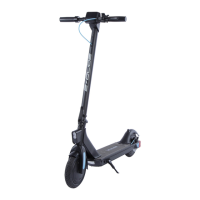
1. Turn power of
2. Unlock the clamp
3. Lower the steerer tube
BASIC OPERATION
Power Buton
Press and hold the power buton for 3 seconds to turn scooter on. Press and hold
for 3 seconds to turn of. Scooter will auto power of afer 90 seconds of inactivity.
Change Speed Modes
With the scooter powered on, press the power buton. L1 will show on the display
indicating mode 1 (15-20km/h). Pulling the throtle while riding controls the amount
of acceleration sent to the motors. Hold the mode buton for 3 seconds to turn on
the headlights. Repeat to turn of.
Batery Indicator
Number of bars indicates remaining charge.
Note: Recharge the scooter before batery is completely flat. Over discharge can
damage the batery.
Mileage
When scooter powers on, ODO will be displayed on screen. Press the power
buton and TRIP will be displayed. Press again to display VOLTAGE. With TRIP
displayed, press mode buton for 3 seconds to reset TRIP data.
2 3
FOLD


 To Next Page