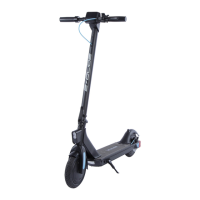
Speed
Batery Indicator
Throtle Lever
Power Buton
Mode Buton
Acceleration Control
Pulling the lever activates acceleration.
Slight pull = lower acceleration.
Strong pull = fast acceleration.
NOTE: Please fully charge the batery before first use of the scooter.
BATTERY INFORMATION
The capacity of the batery ulimately decides the travel range of the scooter. A
scooter with larger batery capacity will enable a longer travel distance.
1 Balanced charging protection: automatically balances the volage of internal cells to
protect the batery.
2 Overcharge protection: overcharging may severely damage the batery. When the batery
is fully charged, the charging process will be ceased automatically.
3 Charging temperature protection: the batery may be damaged, or operate improperly if
charging intemperatures under 5’C or above 40’C.
4 Overcurrent protection: overcurrent during charging process may severely damage the
batery. When the charging current is larger than 8V, the batery will stop charging.
5 Overdischarging protection: overdischarging may severely damage the batery. When the
volage drops to 48V, the batery will stop output.
6 Shor-circuit protection: when there is shor-circuit, the batery will stop output to protect
itsel.
7 Auto sleep: afer initiation, the batery will enter sleep mode if there is no load in 20
minutes to save power.
1 Power the scooter of
2 Connect the charger to the scooter
3 Plug charger into power socket and turn on.
4 When light on charger turns from green to red, the scooter is fully charged.
Batery Features
Charging
4 5


 To Next Page
 Loading...