3 | P a g e
Step 5
To the right of the glass panes is another slot and roller. Pull the film down the slot then under
and around the outside of the roller.
Step 6
Pull the film up and slot it into the intake reel. Push the film’s side edge firmly into the slot,
making sure it gripped. Turn the intake (take-up) reel to the right, clockwise a few turns.
Step 7
Click the Load button on the lower left of the computer screen. The carrier will close the glass
panes and shift backwards and the film display on the monitor.
Viewing the Film
Motorized Reel/Roll Control
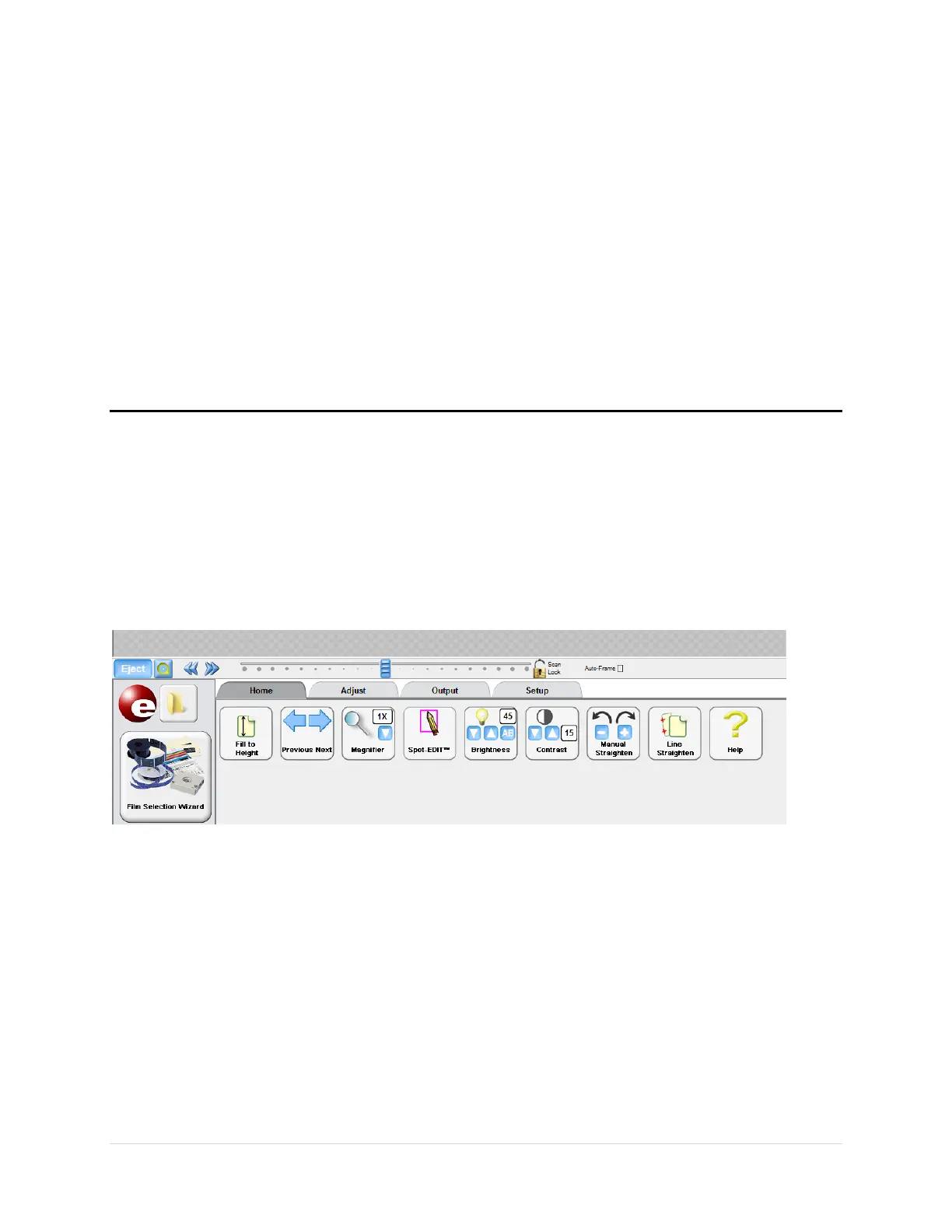
The motorized film controls are across the bottom of the Image screen. These controls move
the film forward, back, fast-forward, rewind, fast-rewind.
From left the right the controls are
1. Load/Eject – The Load/Eject button displays whichever action is available.
2. Bullseye – rewinds the film without stopping
3. << - Fast rewind or back
4. >> - Fast forward
5. Slider bar – moving the film one page at a time. Click and hold the slider, dragging right
to move forward. Or Click, hold and drag left to move backwards in the film.
The tabs and their uses are included in the Using the Graphic Buttons section


 To Next Page