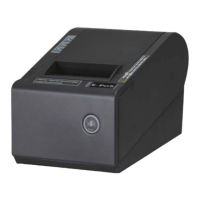
-----------------THERMAL RECEIPT PRINTER------------------2
1.Safety Notice
* Don’t touch the Head of printer with anything.
*Don’t touch the cutter blade.
* Don’t bend the power cord excessively or place any heavy objects onto it.
* Don’t use the printer when it is out of order. This can cause a fire or and electrocution.
* When connecting or disconnecting the plug, always hold the plug-not the cord.
* Keep the desiccant out of children’s reach.
* Use only approved accessories and do not try to disassemble, repair or remodel it for yourself.
* Install the printer on stable surface, choose firm, level surface where avoid vibration.
* Don’t let water or other foreign objects in the printer.
* Don’t connect a telephone line into the peripheral drive connector.
* We recommend that you unplug the printer from the power outlet if no use it for long period.
2.Application:
* POS system Receipts
* EFT POS system Receipts
* Gym, post, hospital, civil aviation system Receipts
* Inquiry, Service system Receipts
* Instrument test Receipts
* Tax, Tab Receipts
3. Unpacking
After unpacking the unit, check that all the necessary accessories are included in the package.
User's Manual 1 PCS
Printer 1 PCS
Data Cable 1PCS
CD Disk 1PCS


 To Next Page