Product Reference Guide5
Installing the Interface USB or
Serial Cable
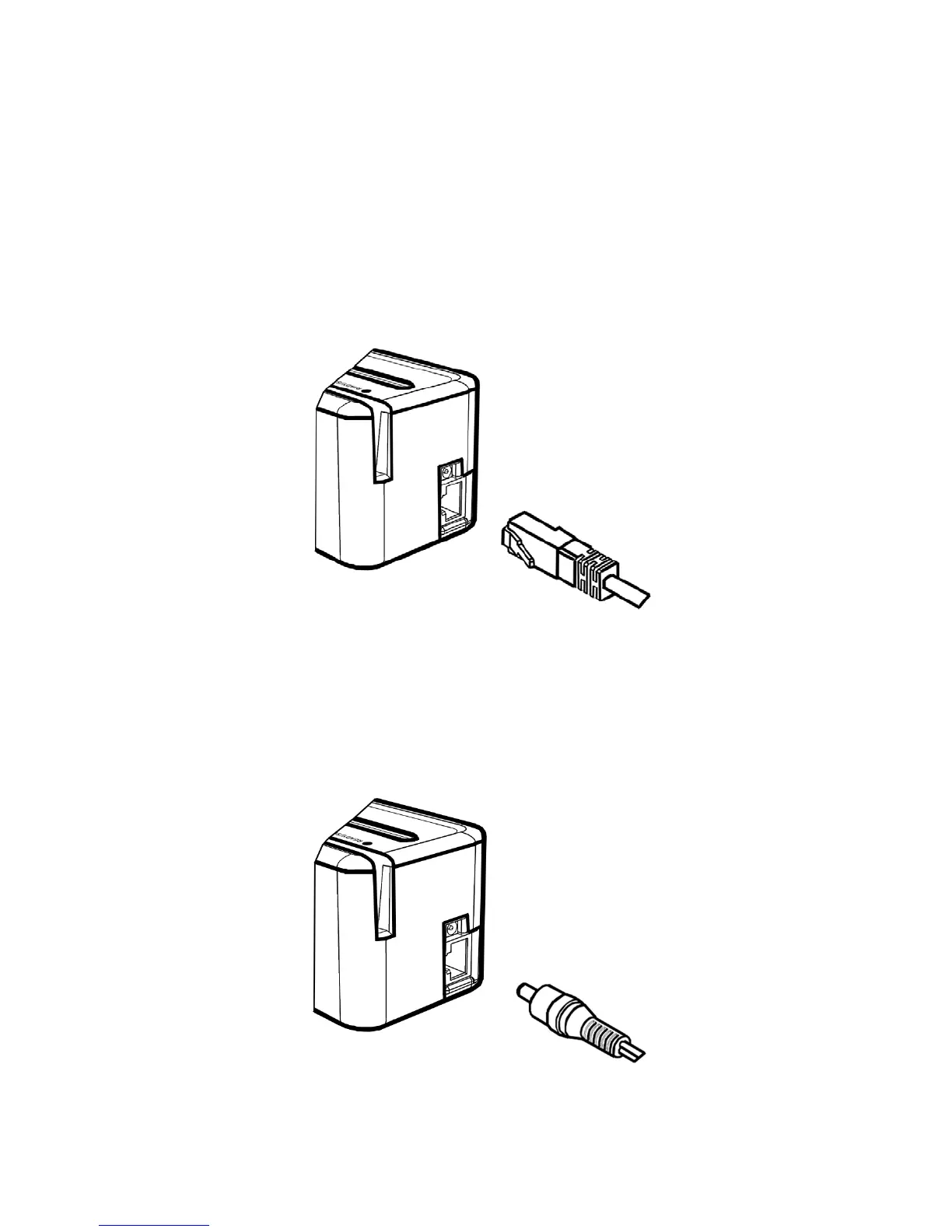
Simply connect the RJ 45 male connector on the interface
cable to RJ 45 female connector built into the Models M210/
M260 as per the illustration below.
Installing the Power Supply
Simply connect the Power Supply Module to a convenient
AC outlet and the cable to the Model M210/M260 as shown
below. No power connection is required for Verifone
terminals.


 To Next Page