REX12-Tx-E electronic circuit protector REX12-Tx-E electronic circuit protector
www.e-t-a.de
8
2045
4
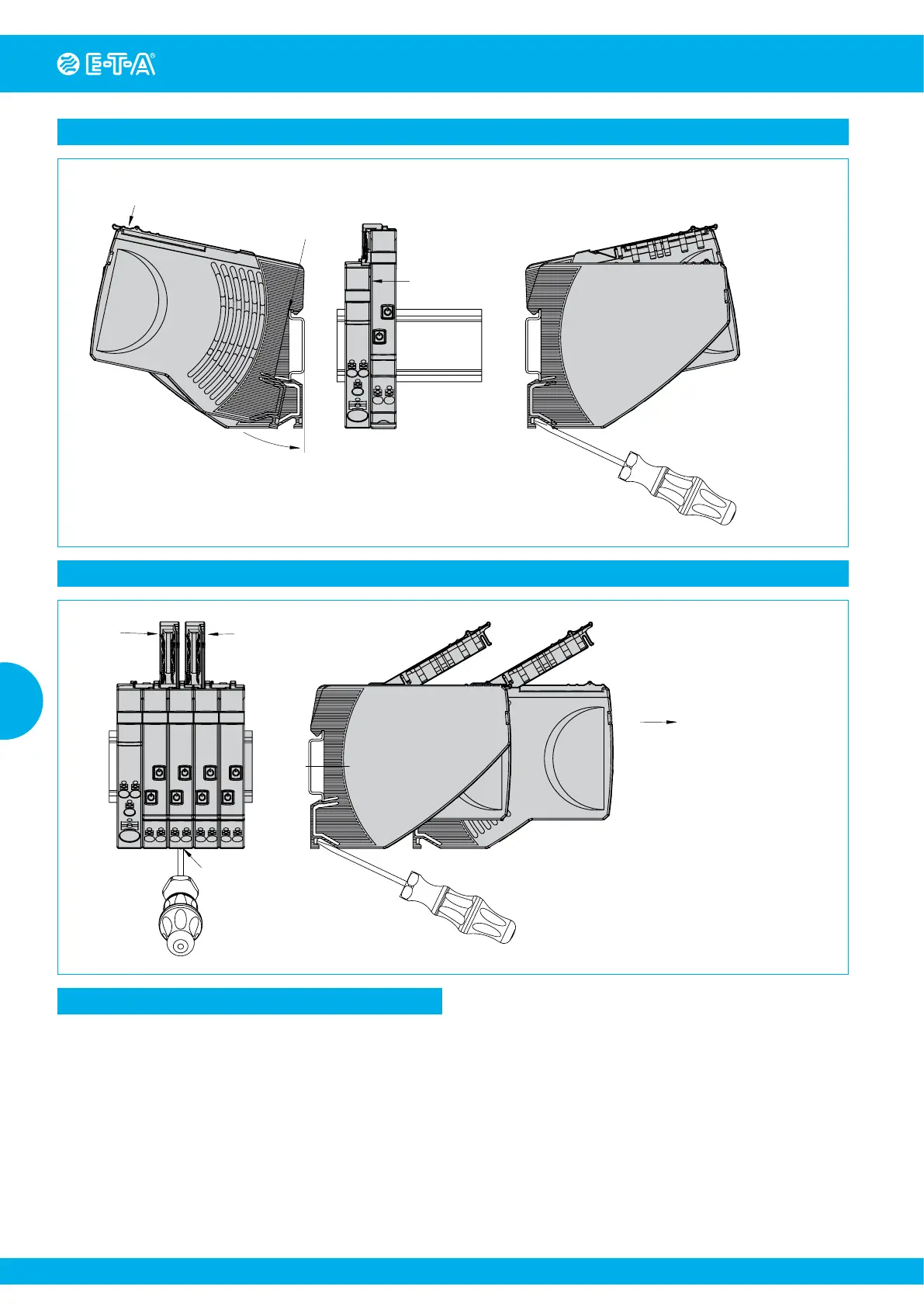
Application example: REX… assembled/disassembled on mounting rail
Connector arm
can be closed
Push REX
towards rail
Latch on enclosure
downwards
Unlatch with screwdriver,
tilt upwards and remove
(connector arm can be closed)
Mount REX...
side-by-side with EM...
Remove REX... from rail
REX... mount on symmetrical
rail, close connector arm
Mounting or actuation of the REX connector arm must only be
effected at dead-voltage. For start-up the REX connector arm must
be closed.
Instructions for installation:
Application example: REX... Replacement/disassembly from group
Unlatch with screwdriver
Pull out at right
angles to the rail
Open connector
arm
Open connector
arm



 To Next Page