FILE: IM400 Service manual.doc 2004.11.23
E-TECH Co., Ltd 6/19
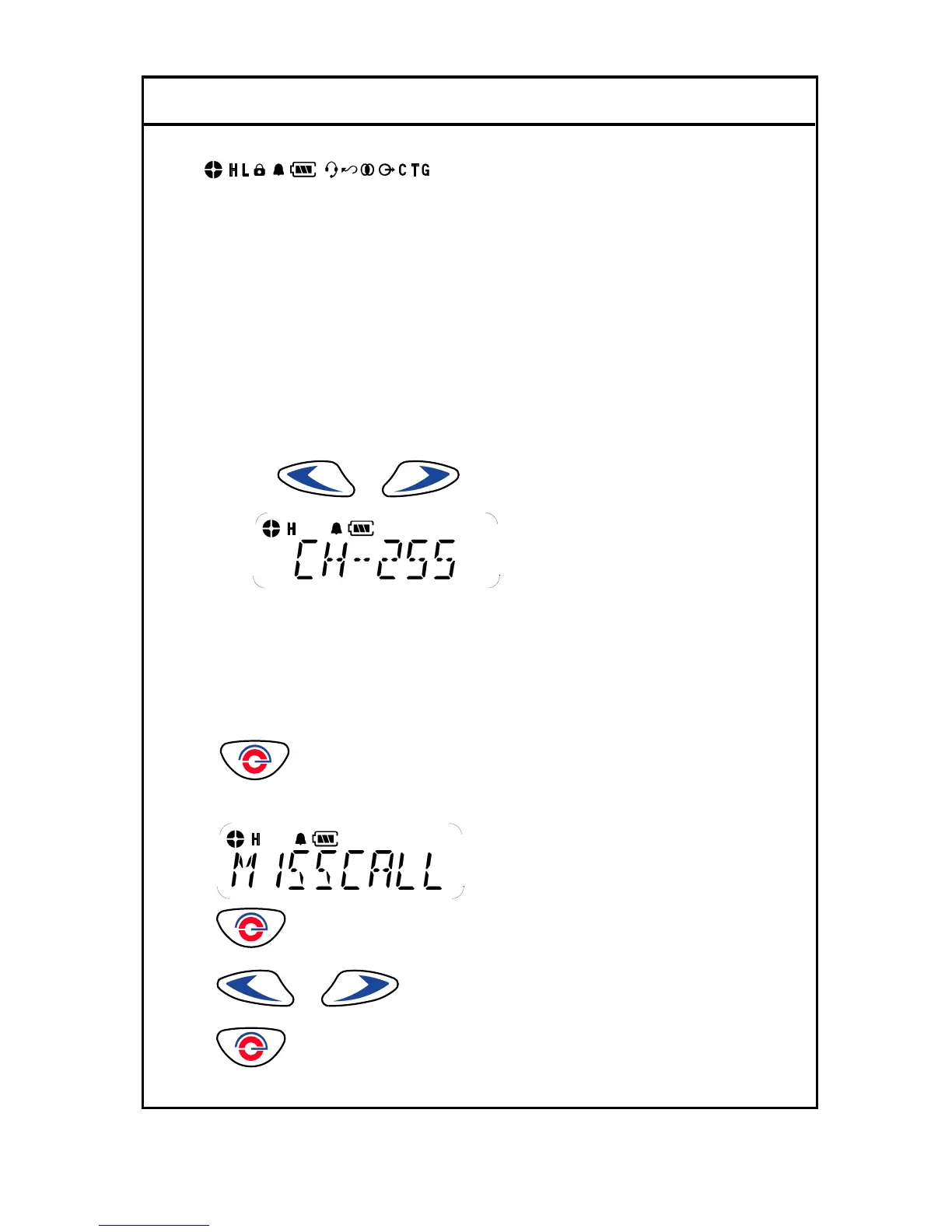
4-2 LCD Display and Icons
1.ANT GAZE ; Shows the received signal strength.
2.TX POWER HIGH: Indicate power level
3.KEY LOCK: Appears during key lock function is ON.
4.ALART(BEEP) ON/OFF: Appears when beep sound is turned ON.
5.Battery level indicator: Indicates reaming battery power.
6.VOX ON/OFF: Appears when VOX function is turned On.
7.SCAN: Appears when Scan function is activated.
8.SCRAMBLE: Appears while the voice scrambler function is activated.
9.TALK AROUND Indicator.
4-3 Features
1. Channel
This radio offers up to 255 channels
1). By using
or button, you can select the desired channel.
2. Missed calls list
Up to 16 calls can be stored. If the same radio calls more than once, only the most recent call is stored.
When fifteen calls have been stored by the radio, depending on the radio programming the sixteenth call
received may overwrite the first or not be stored by the radio.
1).
to enter Menu Mode.
2) Display shows
3)
to select
4)
or to scroll list
5)
to exit



 To Next Page