8
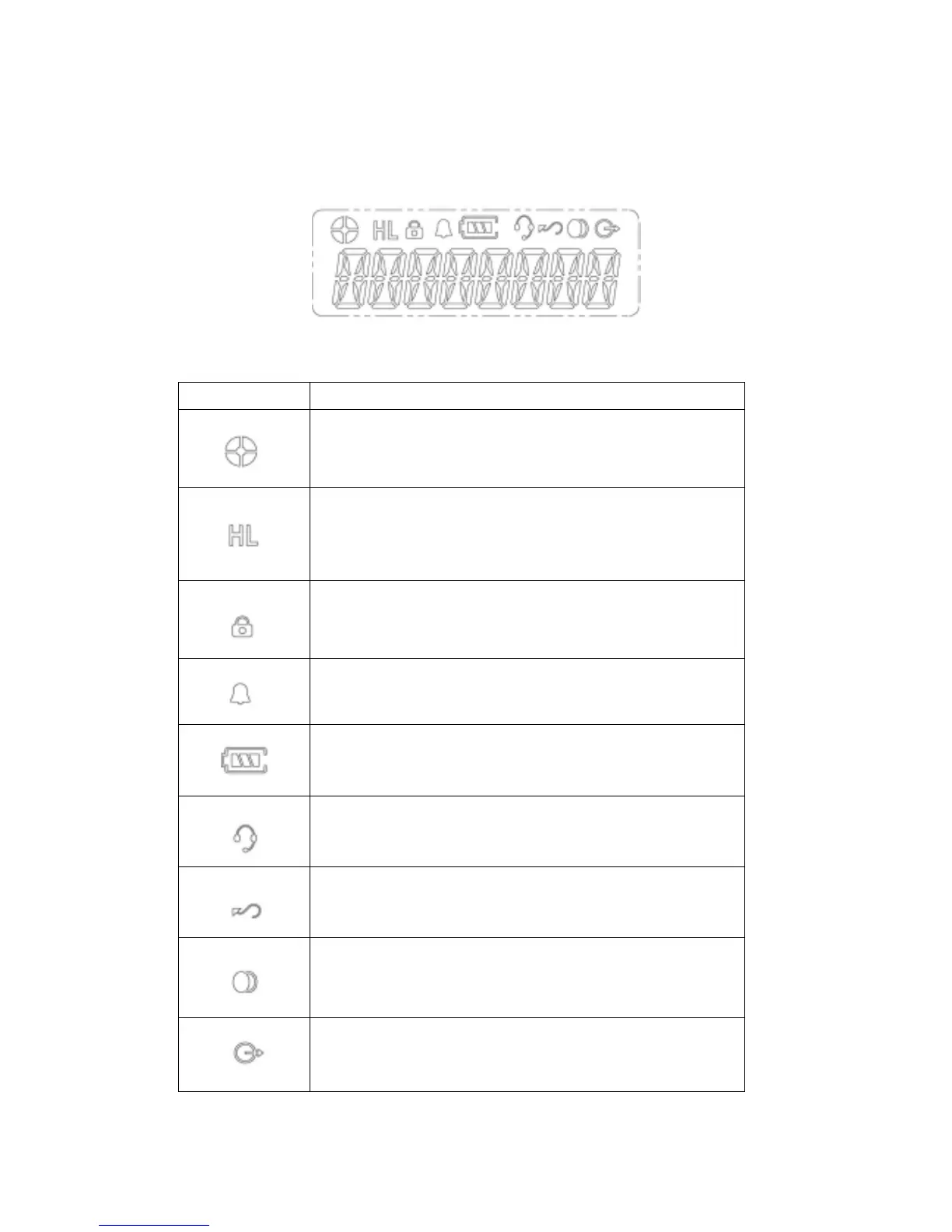
LCD Display and Icons
Symbol Name and Description
Indicate relative signal strength level.
Power Level Indicator.
"H" is high power. "L" is low power.
Key Lock Indicator.
Appears during key lock function ON.
Alert(Beep) ON/OFF Indicator.
Appears when beep sound is turned ON.
Battery Level Indicator.
Indicates remaining battery power.
VOX Indicator.
Appears when VOX function is turned ON.
Scan Indicator.
Appears when Scan function is activated.
Scrambler Indicator.
Appears while the voice scrambler function is
activated.
Talk Around Indicatior



 To Next Page