© 2020 E2 Scientific Corp. Version 5.20.2020. All rights reserved.
4. Open the Google Play Store on your Android device or the App Store on your iOS device.
Search for the Tongueometer app. The app is free to download. Once you locate the app,
click “Install” or “Get.” You can download the application on as many devices as you’d like.
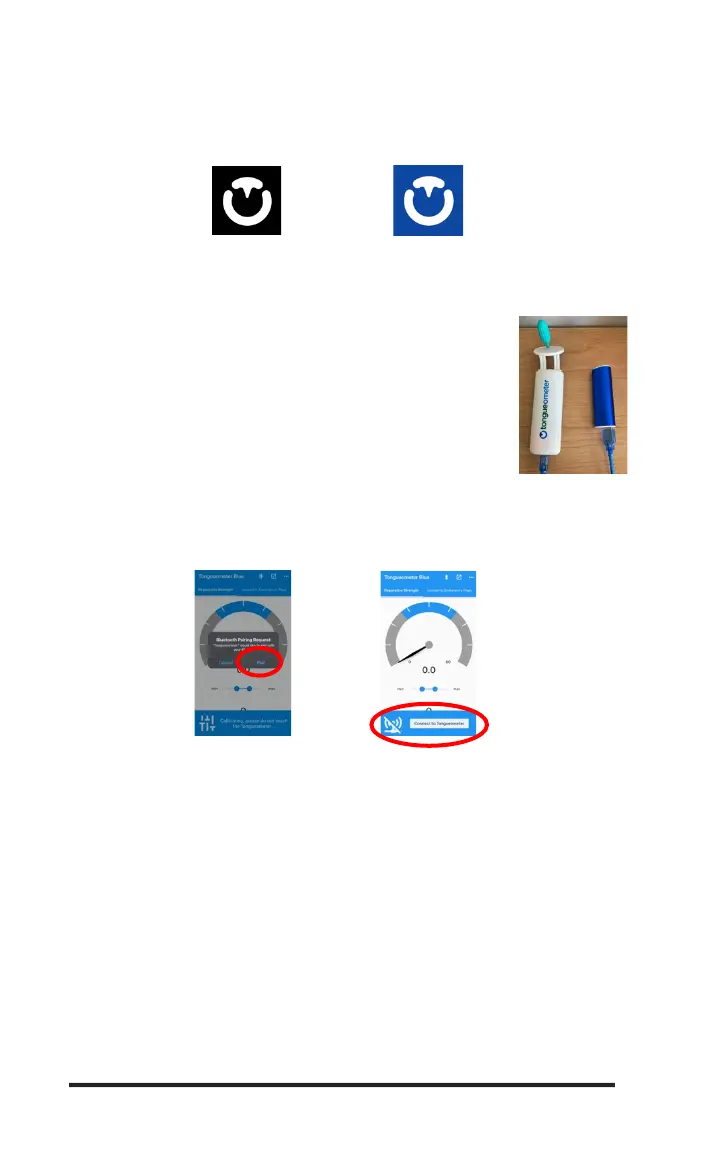
The icon will look like this:
A. Bluetooth® Tongueometer Model (for OTG model, see part B)
1. Connect the Tongueometer device to the external battery using a
standard USB cable with a mini-b connector. External batteries or
wall chargers must produce 5V of power. Battery should be
sufficiently charged in order for device to work properly.
Recommend charging battery between device use.
2. Once your Tongueometer device is connected to the external battery or wall charger, open
the Tongueometer application. The app should prompt you to connect your Tongueometer
device. When connecting for the first time, you may receive a pop-up requesting
permission to pair the Tongueometer device with your phone/tablet. Click “Pair.”
3. Disconnecting Your Device. Please note that when you are finished exercising, it is important to
disconnect your Tongueometer device in this order:
a. Click the Bluetooth® symbol in the upper right-hand corner.
b. Disconnect the Tongueometer device from the external battery.
4. Troubleshooting Connection
a. If you do not disconnect your device properly, you may experience difficulty with
reconnecting and may need to reset the Bluetooth® pairing.
b. To Reset the Bluetooth® Pairing:
i. Force close your Tongueometer app
ii. Disconnect external battery or wall charger from the Tongueometer device.
iii. Go into “Settings” -> “Bluetooth” -> “Tongueometer” and then select “Unpair
Device” (Android) or “Forget this Device” (iOS).
iv. Reconnect the external battery or wall charger.
v. Re-open the Tongueometer app and click “Connect Tongueometer.”


 To Next Page
 Loading...