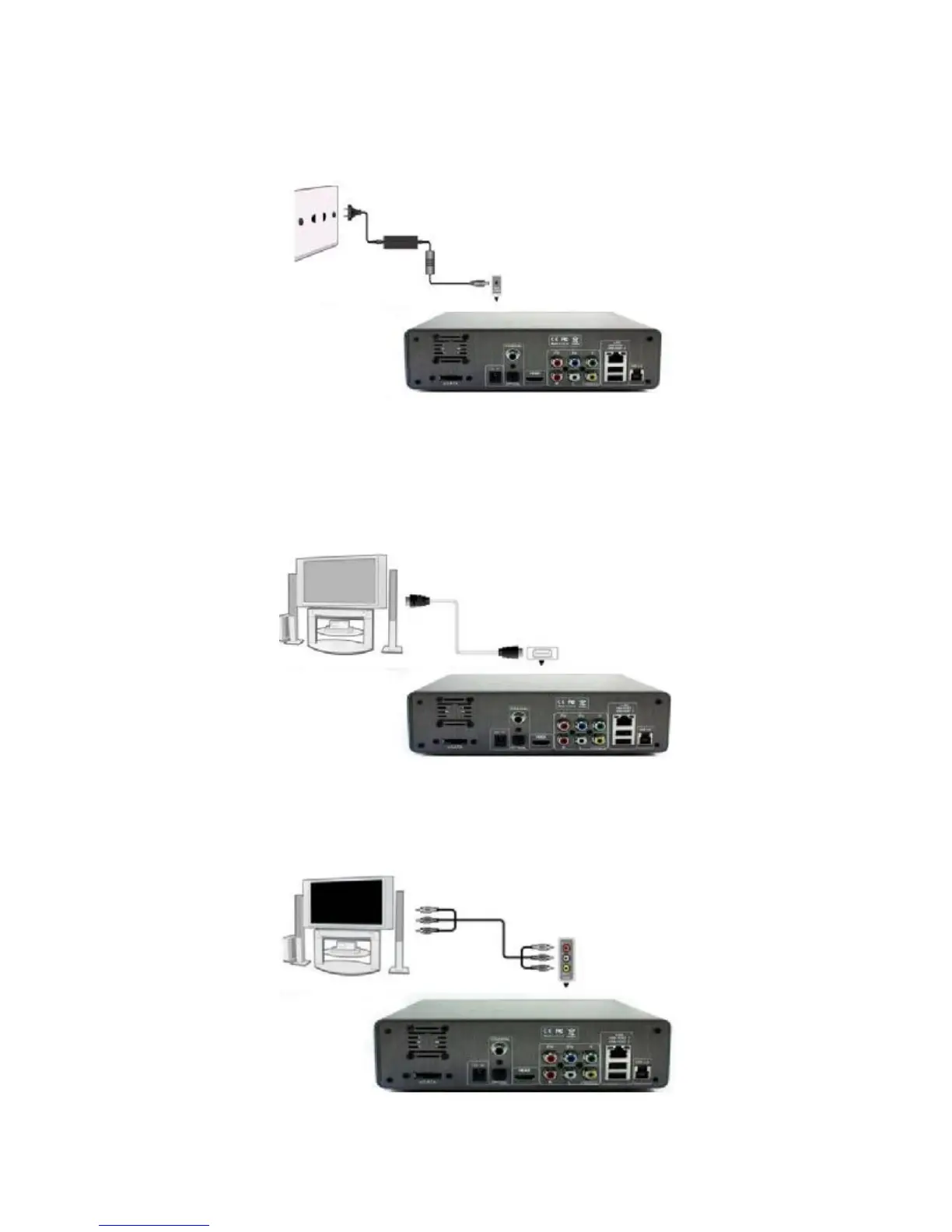
2.1 Connecting the Power Supply
(1) Follow the picture and connect the AC adaptor to the player’s DC IN jack;
(2) Follow the picture and plug in the AC adaptor to the power outlet.
2.2 HDMI output
(1) Follow the picture and plug one connector on your HDMI cable to the player’s HDMI
jack;
(2) Follow the picture and plug the other connector on your HDMI cable to the TV’s HDMI
jack.
2.3 A/V output
(1) Follow the picture and plug in the 3 color connector to the player’s A/V out jack;
(2) Follow the picture and plug in the 3 color connector to the TV’s A/V IN jack.



 To Next Page