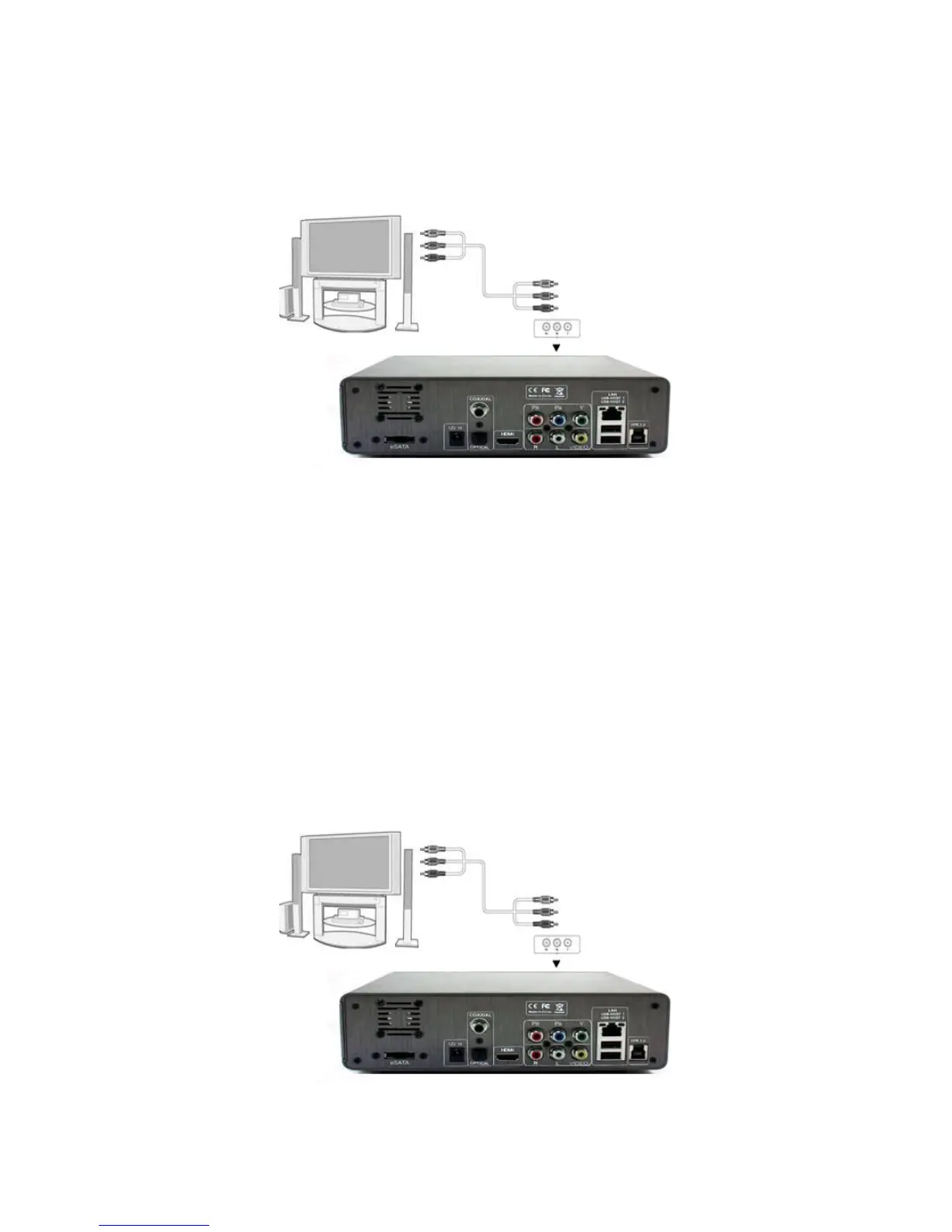
2.4 Y/Pb/Pr Component output
(1) Follow the picture and plug in the one connector to the player’s Y/Pb/Pr jack;
(2) Follow the picture and plug in the 3 color connector to the TV’s Y/Pb/Pr jack.
Helpful tips: As only the video signals and no audio signals are outputted in Y/PB/PR mode,
So please make audio output when using Y/PB/PR mode.
First method: use the audio output from the A/V OUT jack;
Second method: use the audio output from the SPDIF Coaxial or Optical jack.
2.5 Digital audio output
(1) Follow the picture and connect one end of coaxial/optical fiber cable to the coaxial
/optical fiber output port of this product(Not included in the Accessories)
(2) Follow the picture and connect the other end of coaxial/optical fiber cable to the coaxial
/optical fiber input port of corresponding power amplifier.(Not included in the Accessories)
(coaxial)



 To Next Page