4
POWER ON THEDEVICE
Make sure that the EAGLE Open device is powered
on. (The greenlight is on.)
The EAGLE Openpower supply input
is polarity-independent.
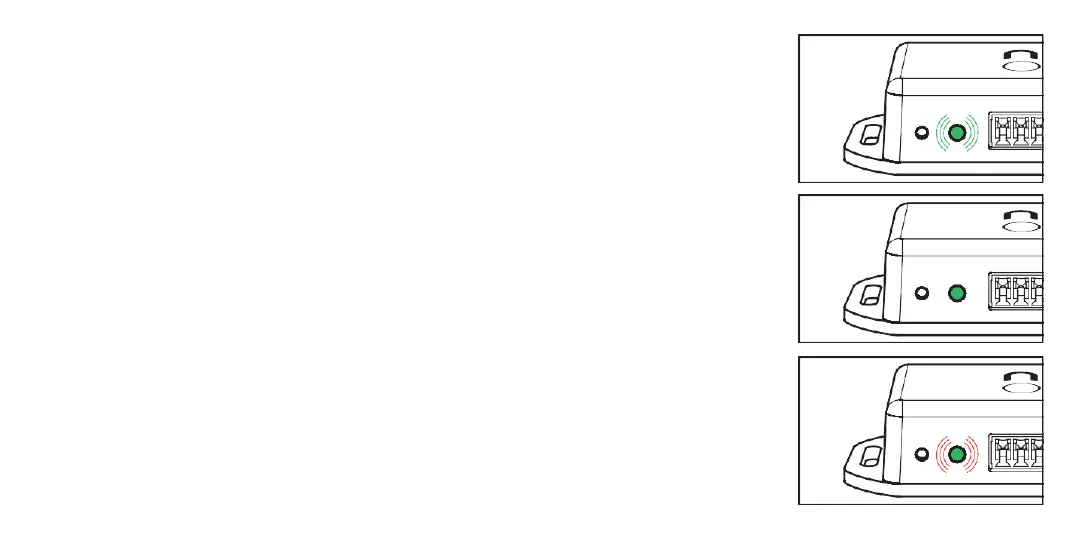
LEDnotifications
Pulsating greenlight
The device is powered up,
ready touse
Solid greenlight
The device is connected
to asmartphone
Red light interrupts thesolid
greenlight
The device received command
from asmartphone
16 17



 To Next Page