support@hobbyeagle.com 3
2. CONNECTION
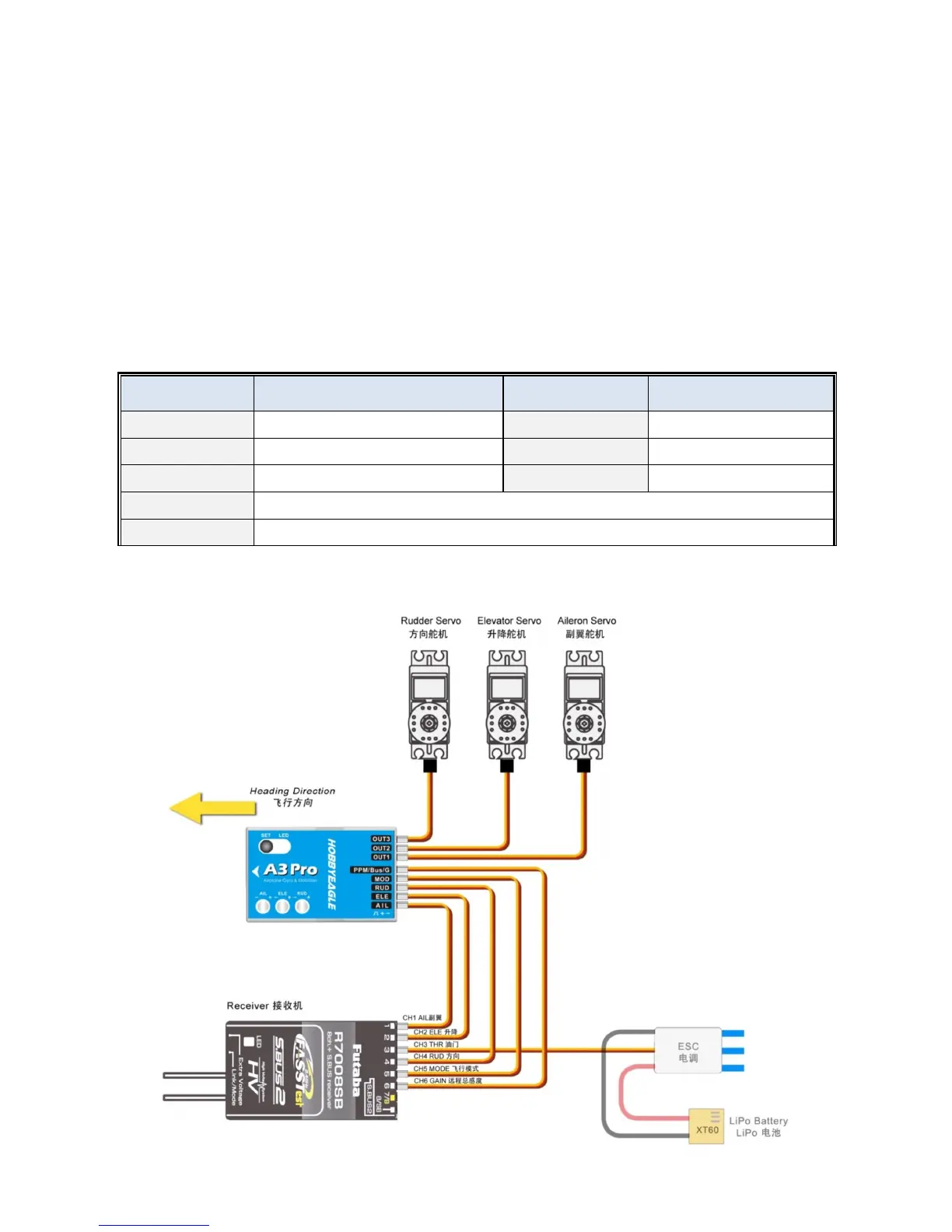
A3 Pro has 5 separate input channels which used to connect to the receiver and 3 output channels for servos, and supports
standard receivers, PPM and Futaba’s S.BUS(or S.BUS 2) single-line receivers. [AIL], [ELE] and [RUD] should be
connected to aileron, elevator and rudder channels of the receiver. [MOD] is used to change the flight mode using a
3-position switch of the transmitter. Usually you can connect it to the gear or any of aux channels of the receiver. Of course,
you have the option to not connect this channel, if so, the gyro will always work in the mode which is set for position-1 in the
Setup Menu. [PPM/Bus/G] is used for remote master gain, it allows you to adjust the master gain of the gyro by using a
proportional knob or slider of the transmitter. However connecting this channel is not a must if you don’t want to change the
gain in the flight. [PPM/Bus/G] is also used as the input channel when a futaba’s s.bus or PPM single-line receiver
connection is being used.
Table 1: Port Description
Input Channel Description Output Channel Description
AIL
To Aileron channel of the receiver
OUT1
To aileron servo
ELE
To Elevator channel of the receiver
OUT2
To elevator servo
RUD
To Rudder channel of the receiver
OUT3
To rudder servo
MOD
Flight Mode Control Channel
PPM/Bus/G
Remote Master Gain Control; PPM or S.BUS input channel when using a single-line receiver.
2.1. STANDARD RECEIVER CONNECTION



 To Next Page