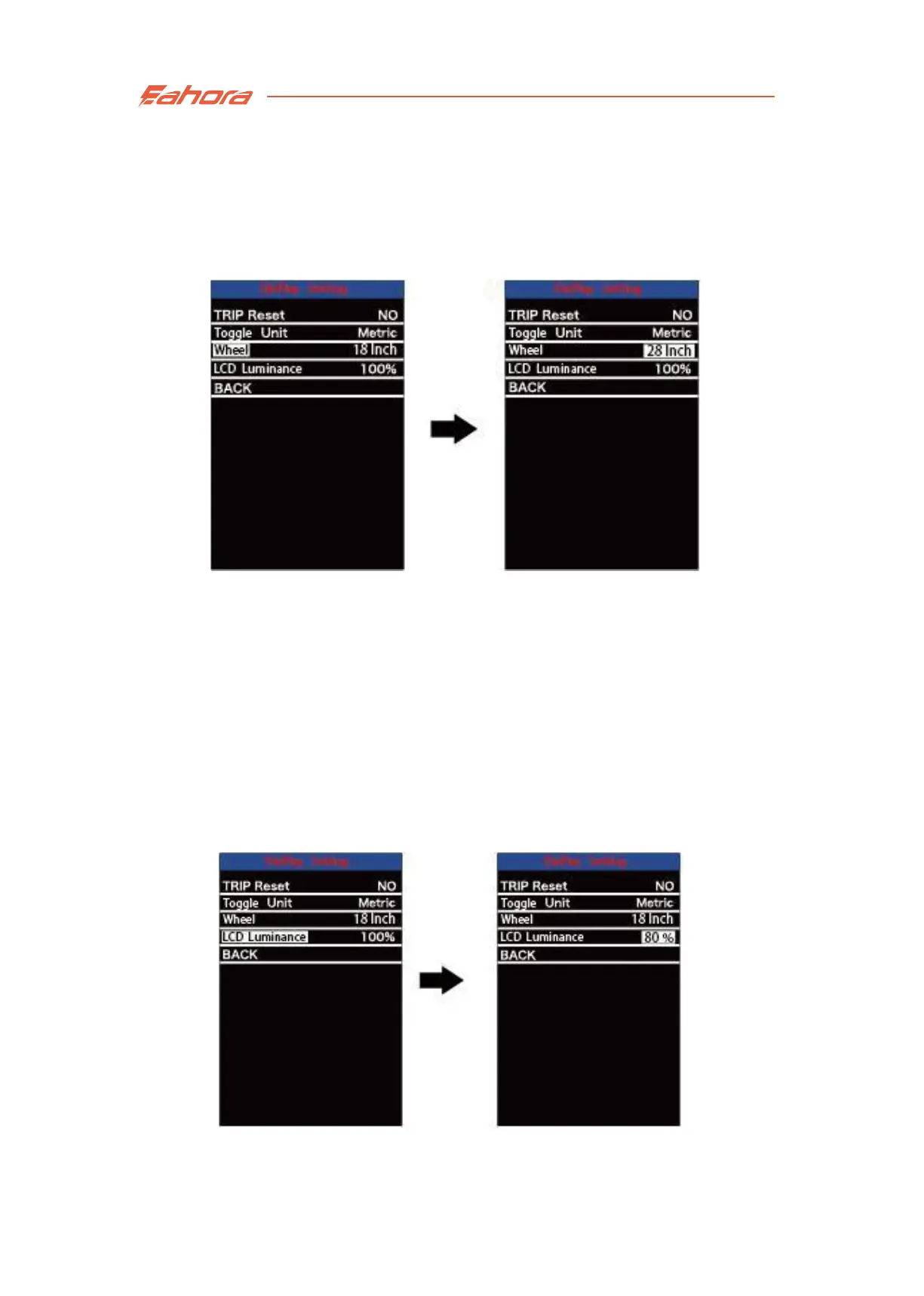
Wheel Diameter Settings
LCD Luminance Setting
Wheel Diameter Settings
Wheel refers to wheel diameter settings. Press the +/- button to increase
or decrease the wheel diameter. The default value is 28 inch.
Press the “i” button to save the modified setting.
LCD Luminance Setting
LCD Luminance refers to the brightness of the screen. 100% is the
brightest, lower percentage equals to lower brightness. Press the
+/- button to change the screen brightness.
Pressthe "i" button to save the modified setting.


 To Next Page