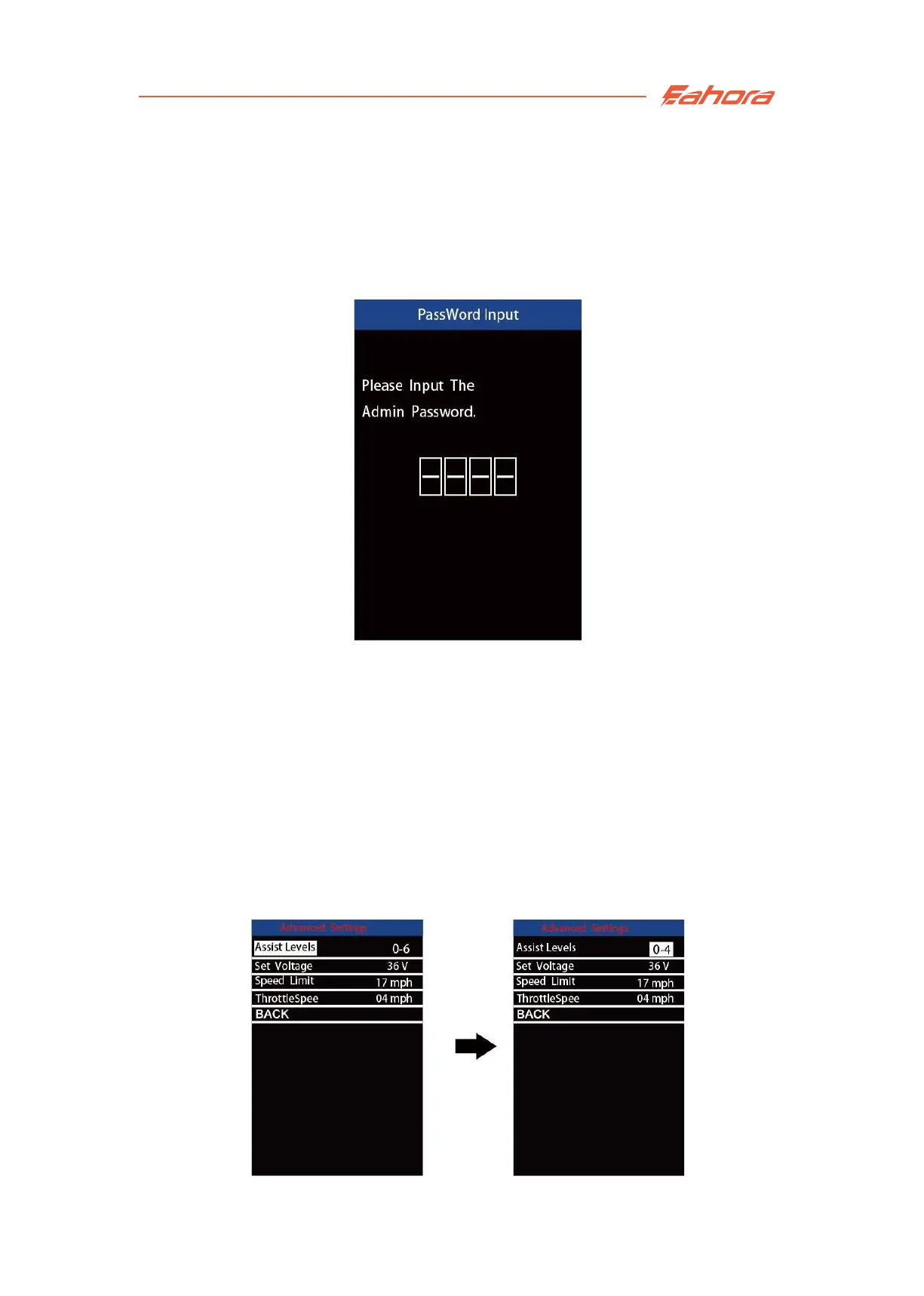
Advanced settings:
Use the correct password to enter the advanced settings interface.
The default password is 1212. Press the +/- button to switch the number.
Press the "i" button to confirm each number.
Password Input
Assistance-level Setting
There are 8 different modes of assistance-level: 0-2, 1-2, 0-4, 1-4, 0-6, 1-6,
0-8, 1-8. The default value is 0-6.
Press the +/- button to switch the assistance-level mode.
Press the “i” button to save the modified setting.
Assistance-level Setting


 To Next Page