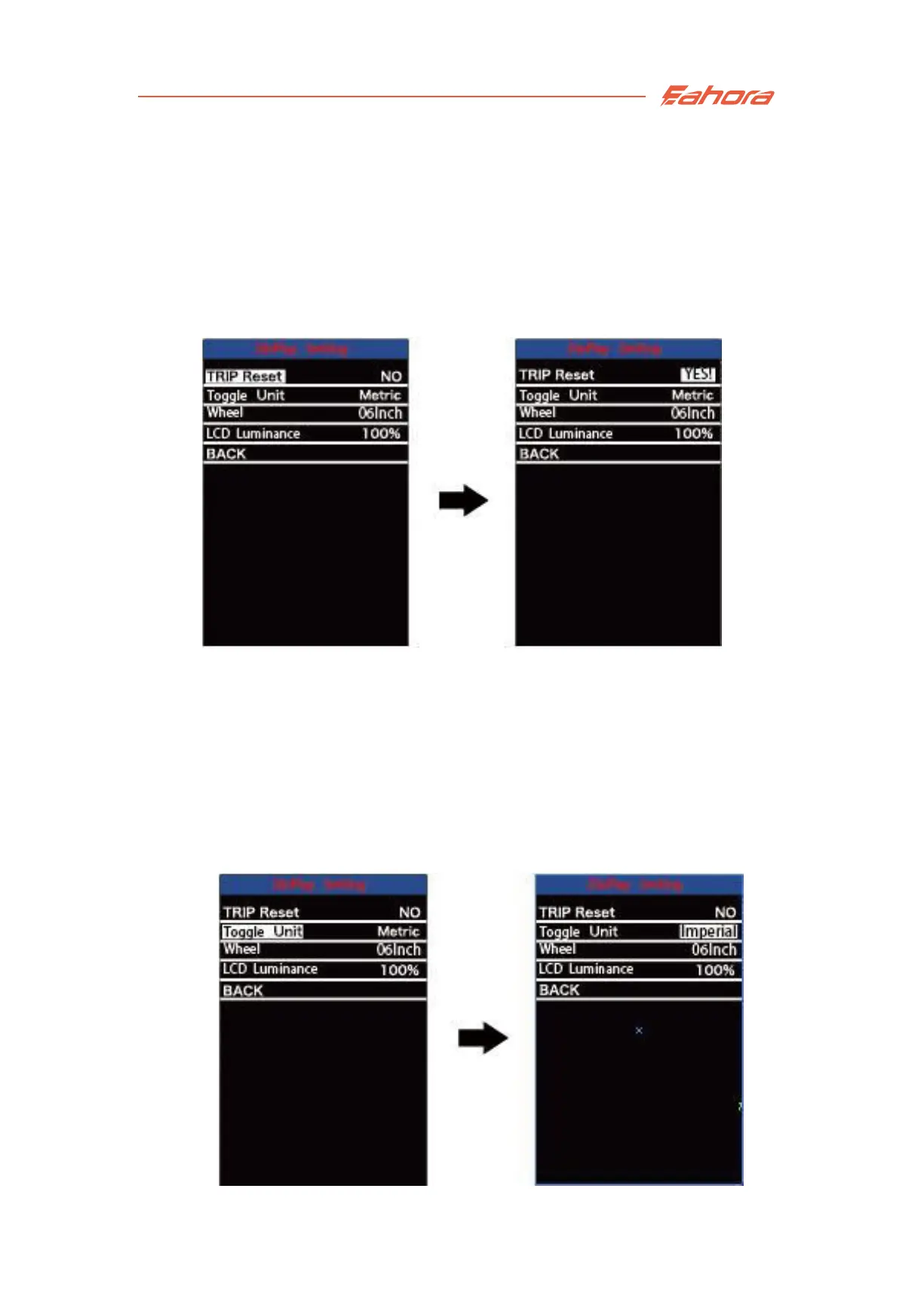
Single Trip Distance Clearance
Display settings:
Unit Conversion
Metric/Imperial Unit Conversion
Toggle Unit refers to unit conversion. Press
the +/- button
to to switch the
unit. The default setting is "metric system (km)".
Press the “i” button to save the modified setting.
Single Trip Distance Clearance
To clear trip distance, press the +/- button to select “Yes” or “No”.
“Yes” refers to clear a single ride distance. “No” refers to not clear a
single ride distance. “No” is the default setting.
Press the “i” button to save the modified setting.


 To Next Page