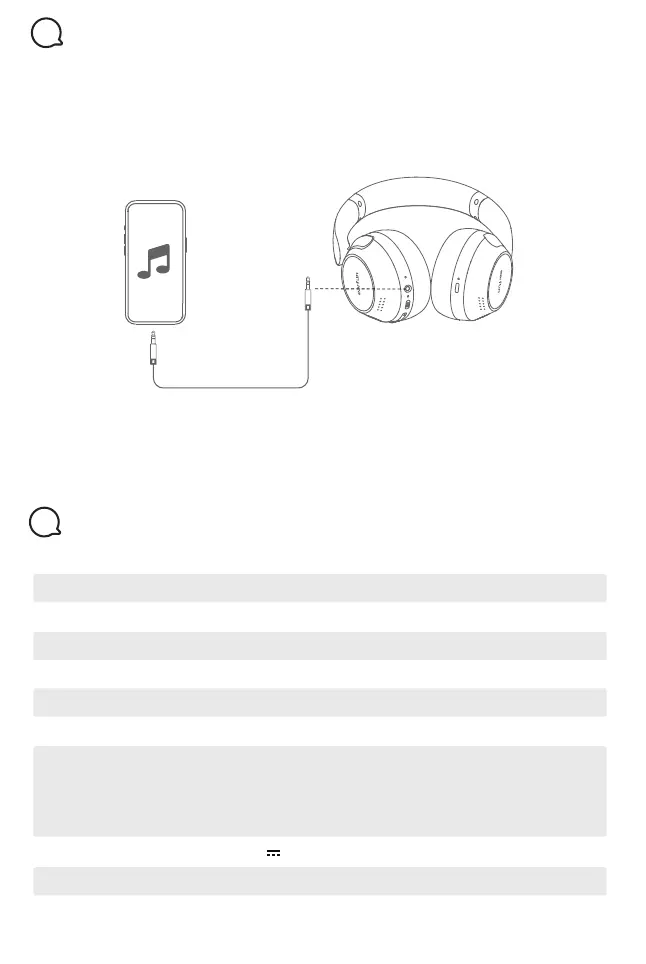
AUX Input
9
1. The headphones will power off and disconnect Bluetooth connection when
plug-in the AUX audio cable.
2. In AUX input mode, the audio will connect to the transducer directly that
can’t control the volume, play/pause by the headphones, and also can’t be
controlled by the EarFun Audio app. Please use the front-end device to adjust
the volume and play/pause.
Note:
Please ensure that the volume of front-end device is turned down to minimum when
connecting the AUX audio. Adjust the volume after putting on this headphones.
Specifications
10
2.402GHz-2.480GHzBluetooth frequency
BluetoothConnectivity
<7dBm (for EU)Bluetooth transmitted power
A2DP, AVRCP, HFP, HSPBluetooth profile
800mAhBattery capacity
15m(without obstacle)Maximum working range
159.7mm x82.4mm x 210.8mmDimentions
5V 1AInput
268gWeight
ANC OFF--Up to 80 hours
(varies by volume level and audio content)
ANC ON--Up to 55 hours
(varies by volume level and audio content)
Playtime
2 hoursCharging time
3.5mm


 To Next Page