Customer/Warranty Service: (866) 446-2864
Page 13
TurningPowerOn
1. PressthePOWERbuttonontheleftsideoftheControlPanel.Theheater’s
quartzheatingelementswilllightupinsidetheheater.
2. Afterafewminutes,oncetheairwithintheheateriswarm,theheaterfan
(somemodelshave2)willbegintooperate.
TurningPowerOff
1. PressthePOWERbuttonlocatedontheleftsideoftheControlPanel.
2. The sound of the heater fan will continue until the heat has been
completely vented, thus protecting the unit and preventing waste by
cyclingtheremainingheatintotheroom.(NOTE:DONOTunplugtheheater
until the sou
nd of the fan has stopped. Doing somay cause damage to the
unit.)
SettingtheTemperature
Thisfeatureallowsyoutosetthetemperatur eyourheaterwillmaintain.
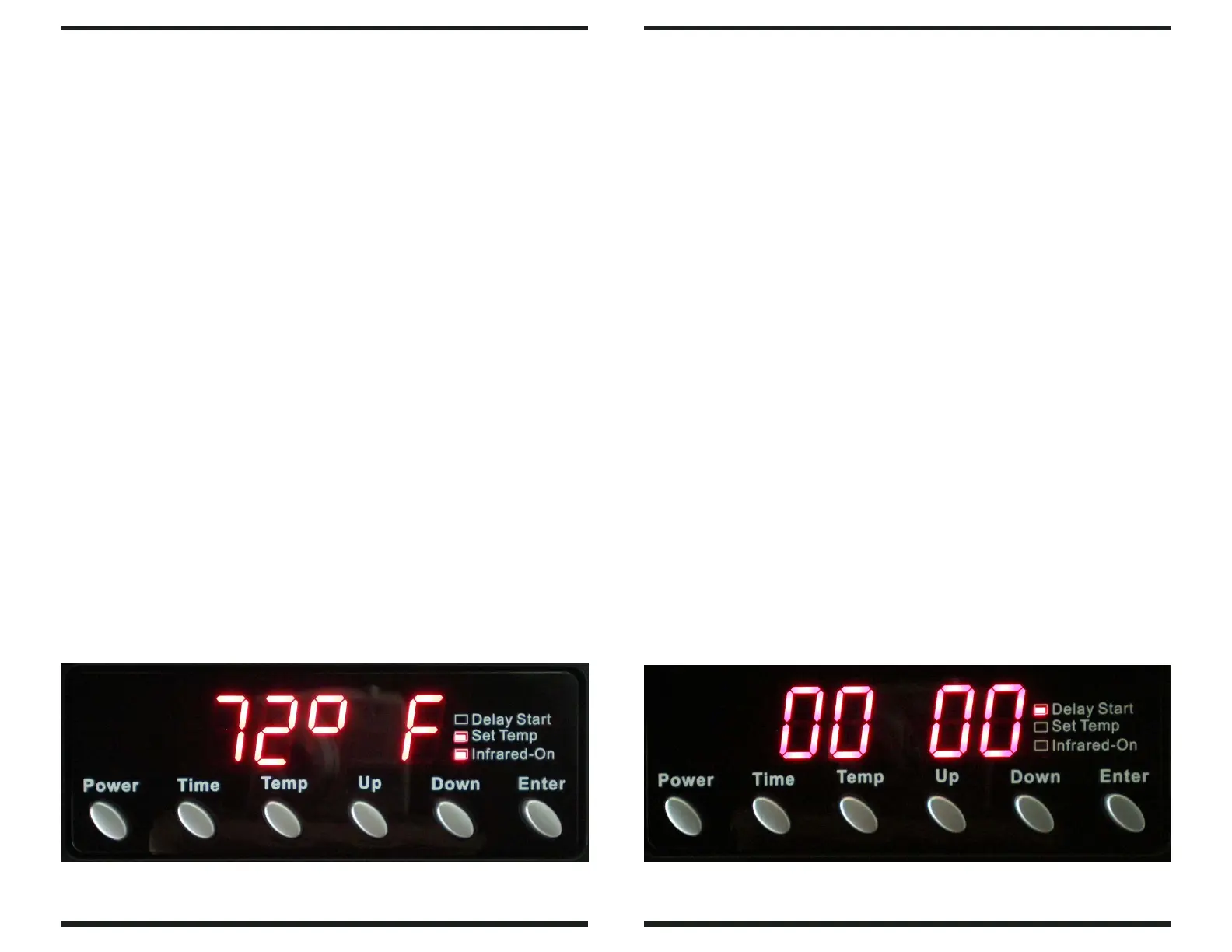
1.Press the temperature (TEMP) button on the Control Panel; the SET TEMP
indicatorwillilluminateandthetemperaturedisplaywillflash.
2.UsetheUPandDOWNbuttonstoselectthetemperatureandpressenter.
3.TheSETTEMPlightwillturnoff,andthetem
p
eratureisnowset.
Detailed Operating Instructions
©2008 EarthWise Electronics, Inc
Page 14
Detailed Operating Instructions
SettingtheTimer
This feature allows you to set a future time forthe heater to turn itself on. For
example,ifyousetthetimefor1hour,theheaterwillturnonin1hour.
1.Turnthepoweroff(heatermustbepoweredofftousethetimerfeature).
2.PresstheTIMEbuttonontheControlPanel—thetwozeros
totherightwill
flash (:00), indicating 0 minutes have been set, and the DELAY START
indicatorwillilluminate.
3.PresstheUPorDOWNbuttontoselectdesirednumberofminutes(upto59
minutes)thatyouwouldliketheheatertowaittoturnitselfon.
4.Press the ENT
E
R button—the two zero buttons to the left will flash (00:),
indicating0hourshavebeenset.
5.Press the UP or DOWN button to the desired number of hours (up to 24
hours),andthenpresstheENTERbutton.
6.DELAY START indicator will flash until the unit comes on after waiting the
periodoftimeyouhaveset.
7.Tocancelthetimer,press
thepowerbuttonandthetimerwillstop.
SwitchingBetweenFahrenheit&Celsius
Press the DOWN & ENTER buttons simultaneously and hold for about 3
seconds.Thedisplaywillupdateautomatically.


 To Previous Page