22
5.4 Adjusting space operation mode
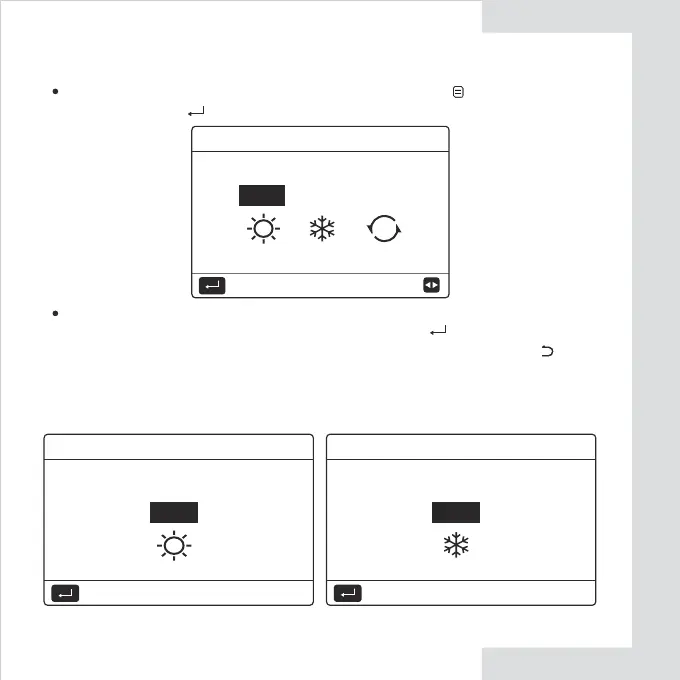
If there is only HEAT(COOL) mode, the following page will appear:
Adjusting space operation mode by interface. Go to '' '' > '' OPERATION
MODE''. Press" ", the following page will appear:
There are three modes to be selected including HEAT, COOL and
AUTO mode. Use the ''
◄
'' ''
►
'' to scroll, press ” ” to select.
Even if you don’t press OK button and exit the page by pressing
button, the mode would still effective if the cursor have be moved to the
operation mode.
Operation mode setting:
OPERATION MODE
COOL
AUTO
A
HEAT
CONFIRM
Operation mode can only be set
heat mode:
OPERATION MODE
HEAT
CONFIRM
Operation mode can only be set
cool mode:
OPERATION MODE
COOL
CONFIRM


 To Next Page