Need help?
Do you have a question about the EAS Electric ECRTH2 and is the answer not in the manual?
Original documentation language and user instructions. Safety precautions are important.
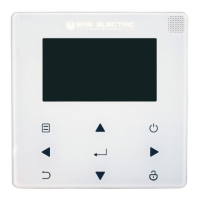
Details the visual elements and icons displayed on the wired controller.
Explains the functionality and layout of the controller's home pages.
Outlines how to access and navigate the controller's menu structure.
Covers unlocking the interface and turning the unit on/off.
Details how to adjust temperature and space operation modes.
Outlines safety measures and general precautions for installation.
Explains the meaning of DANGER, RISK OF ELECTROCUTION, and RISK OF BURNING symbols.
Advice for users unsure of operation and who to contact.
Explains the meaning of WARNING, CAUTION, NOTE, and INFORMATION messages.
Cautions against rinsing the unit and placing objects on it.
Information on proper disposal of electrical appliances according to WEEE directive.
Describes the functions of buttons and navigation within the controller interface.
Explains the meaning of various status icons displayed on the controller.
Details the first home page layout for water flow temperature settings.
Details the second home page layout, focusing on room temperature settings.
Describes the main and additional page layout for Home Page 3.
Details the main and additional page layout for Home Page 4 with multiple functions.
Explains the controller's menu structure and its purpose.
Guides on how to enter and move through the menu system.
Instructions on how to unlock the wired controller's screen.
Explains how the controller screen locks automatically or manually.
How to turn the unit on or off for heating or cooling via the interface.
Explains ON/OFF control for DHW and room temperature settings.
How the room thermostat controls the unit's ON/OFF status.
Instructions on turning the Domestic Hot Water (DHW) function on or off.
How to turn DHW and space operation modes on or off.
Step-by-step guide on how to adjust the desired temperature settings.
Demonstrates temperature adjustment with specific examples.
Provides further examples for temperature adjustment.
Explains how to select between HEAT, COOL, and AUTO modes.
Details the functionality of heating, cooling, and auto modes.
How to adjust the operation mode using the room thermostat.
Guidelines for setting up the wired controller's network connection.
Steps to activate WLAN and configure AP mode on the controller.
Instructions for restoring the controller's WLAN settings to default.
Guide on installing the required mobile application for device control.
Procedures for registering an account and logging into the mobile application.
Steps to add home appliances to the mobile application.
Instructions for operating the wired controller using the mobile app.
Displays confirmation of successful device connection and adding.
Advice on handling network connection failures and retrying the process.
Best practices and warnings for Wi-Fi setup and troubleshooting.
Essential safety precautions to read before installing the unit.
Explanation of WARNING and CAUTION marks used in the manual.
Emphasizes professional installation and strict adherence to manual instructions.
Cautions regarding flammable gases, wiring, and placement near lamps.
Advice on installation location and checking assembly completeness.
Important notes regarding wiring, voltage, and signal cable connections.
Provides dimensional drawings of the wired controller for installation planning.
Specifies the input voltage and wire gauge required for the controller.
Illustrates the wiring connections for the wired controller.
Step-by-step guide for installing the back cover of the controller.
Details on mounting the controller to walls or electrical boxes using screws.
Instructions on attaching and securing the controller's front and back covers.
Advice on using trap and putty to seal connectors and prevent water entry.
Procedure for attaching and buckling the front cover of the controller.
Visual guide on correct and incorrect methods for installing controller covers.
Details the communication parameters for the Modbus interface (RS-485).
Maps register addresses to power status, floor heating, DHW, and air conditioning control.
Maps registers for mode settings, temperature, function settings, and curve selection.
Maps register addresses to various running parameters like operating frequency and mode.
Maps status bits and load outputs to controller functions and states.
Maps registers for unit frequency, voltage, and various temperature readings.
Maps registers for appliance type, and temperature limits for different zones.
Maps registers for temperature settings, interval timers, and control parameters.
Maps registers related to disinfection, auxiliary heating, and cooling parameters.
Maps registers for water heating duration, timing, and power settings.
Maps registers for temperature curves and emission type settings.
Lists error codes E0 through E9 and their corresponding faults.
Lists error codes EA through Ed, and P0 through P6 with their faults.
Lists error codes H0 through HP and their corresponding faults.
Lists error codes C7 through L9 and their corresponding faults.
 General
| Brand | EAS Electric |
|---|---|
| Model | ECRTH2 |
| Category | Controller |
| Language | English |

 To Next Page