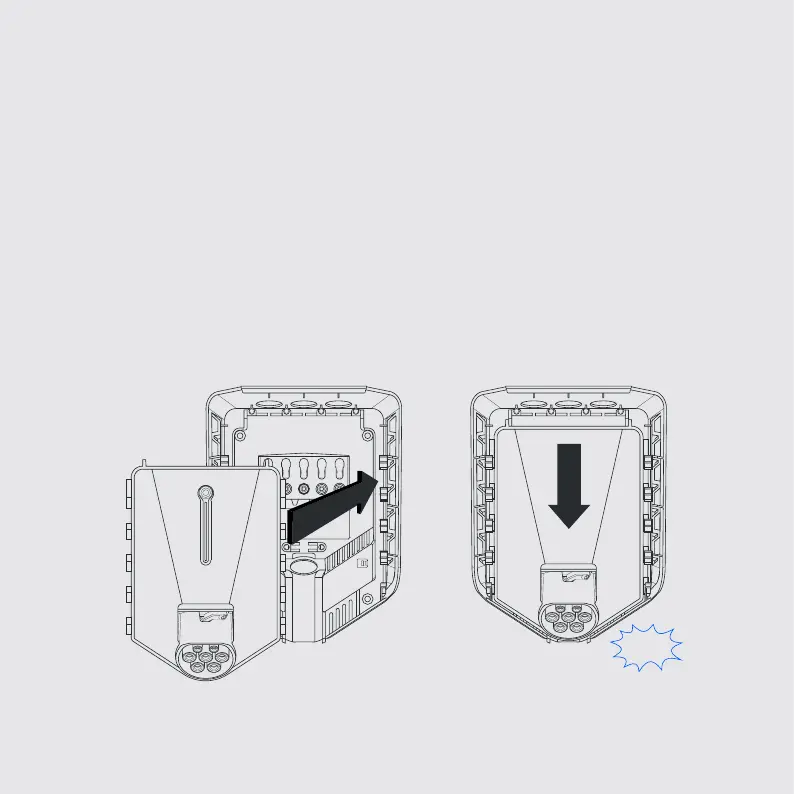
Plug in the electronics
5
1. Match up the tabs on the Chargeberry with the slots in the backplate.
2. When the Chargeberry has reached the bottom, push it down with good
force until you hear a click!
NB! When installing several charging robots, you must use the same
chargeberry to program all the back plates that are connected to the same
fuse / cable - so please wait to plug in the remaining ones!
Click!
2
1


 To Next Page