20
20
3.3 Capture file From Hard Disk or backup file :
When use the player to play Hard Disk or backup file , it offers the Capture function and let user to
capture video session from Hard Disk or backup file .
Operation steps :
1. Open the backup file .
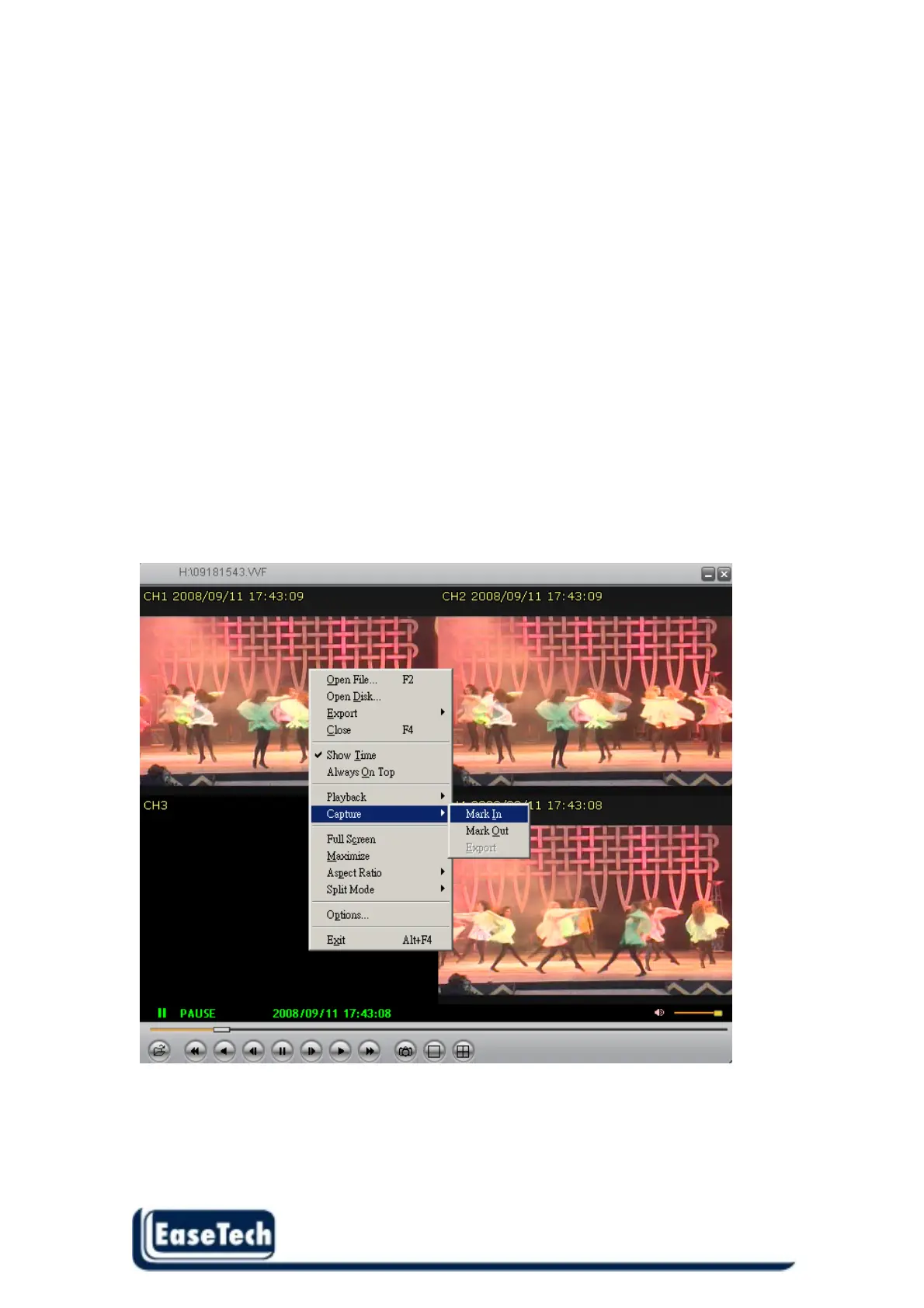
2. Press Pause key to pause the screen and then click mouse right button, it will display menu then
choose the “Capture“ function . ( see below picture )
3. Choose the “Mark In” to set the capture start point .
4. Press play key to start play until user desire video screen .
5. Press pause key and choose the “Mark out” to set the capture end point .
6. Choose the “Export” , then user can export this session of video from backup file .
Notice :
When start to export the video , the computer will be in busy state , user have to wait until the
operation stop 。



 To Next Page