6
6
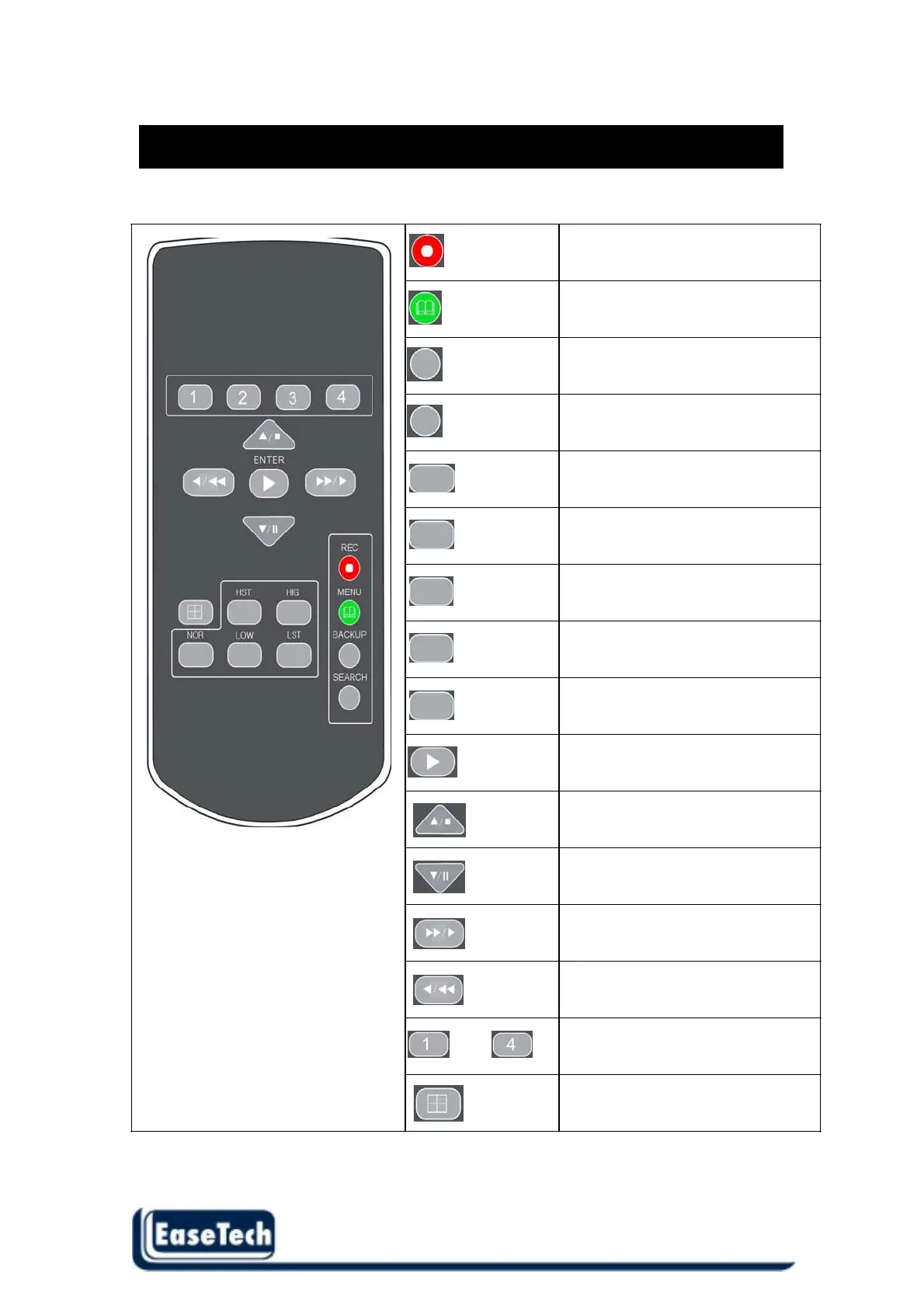
REMOTE Controller
The key on the remote controller function control is same as the front keypad of the unit.
REC
MENU
BACKUP
SEARCH
HST
HIG
NOR
LOW
LST
ENTER
~
Record button (Start / Stop )
Display menu setup
Video backup function.
Video search function
Video record quality level (Highest)
Video
record quality level (High)
Video record quality level (Normal)
Video record quality level (Low)
Video record quality level (Lowest)
Change the setting value .
Direction button UP /
Playback stop button
Direction button down /
Playback pause
Direction right button /
Forward playback / play speed
Direction left button /
Reverse playback / play speed
Channel 1 ~ channel 4
Full screen display
Quad display screen



 To Next Page