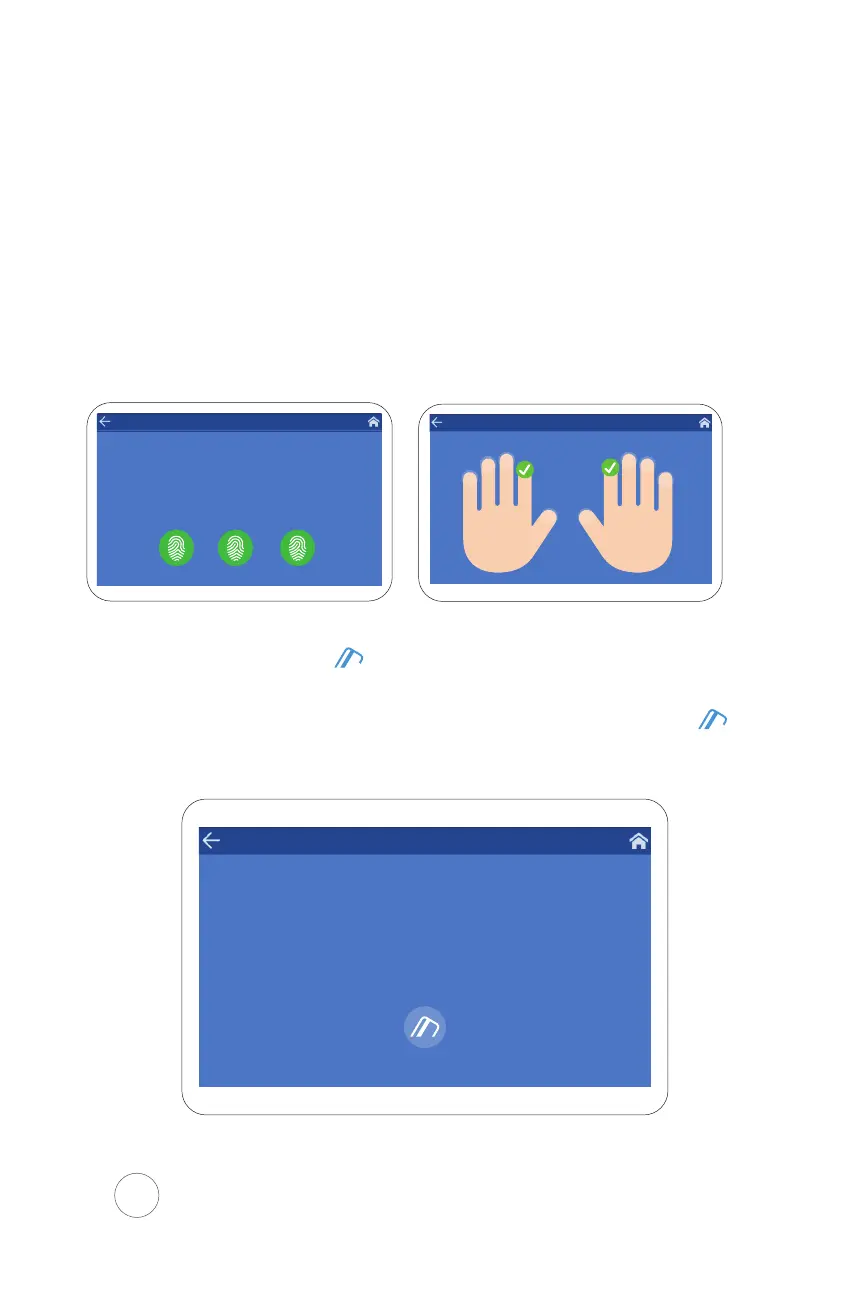
Step 3 Scan the finger you are enrolling 3
individual times. Once the process is
complete, the enrolled print will display
on the specified hand.
For detailed instructions and proper finger placement when
Scanning your fingerprint, refer to page 22
II. Proximity
Step 1 Select the Proximity card option
Step 2 Scan your card by placing it near the icon
located on the right side of Xenio time clock
You must scan your card only once
Present your card
RightLeft
JOHN SMITH
ID: 36
You must scan your finger 3 times
JOHN SMITH
ID: 36
Place your finger on the scanner
2 3
Great! Place your finger on the scanner a second time
3
Almost done, place finger on the scanner one last time We’re all done! Fingerprint successfully registered
18


 To Next Page