4
5
6
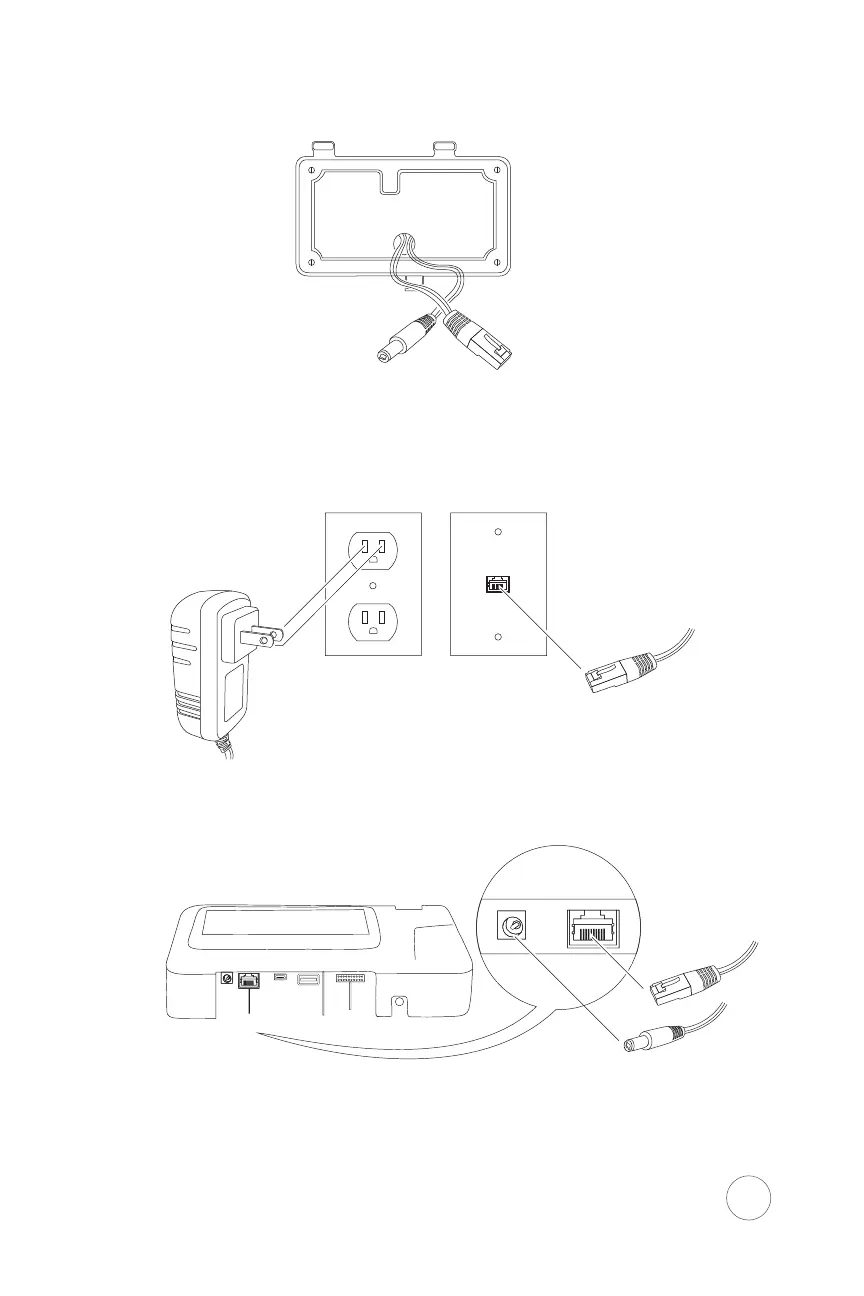
*When connecting to your network via ethernet:
Run the cables (ethernet cable not provided)
inside or outside of the wall.
Connect your ethernet cable to an ethernet wall
jack, router, or switch. Insert the Power Adapter
to an electrical receptacle.
Attach the other end of the ethernet cable and
the Power Adapter to the Xenio.
** Network cable is not required when using WiFi
7
** When connecting power to the Xenio via POE, DO NOT connect the provided power adapter.


 To Next Page