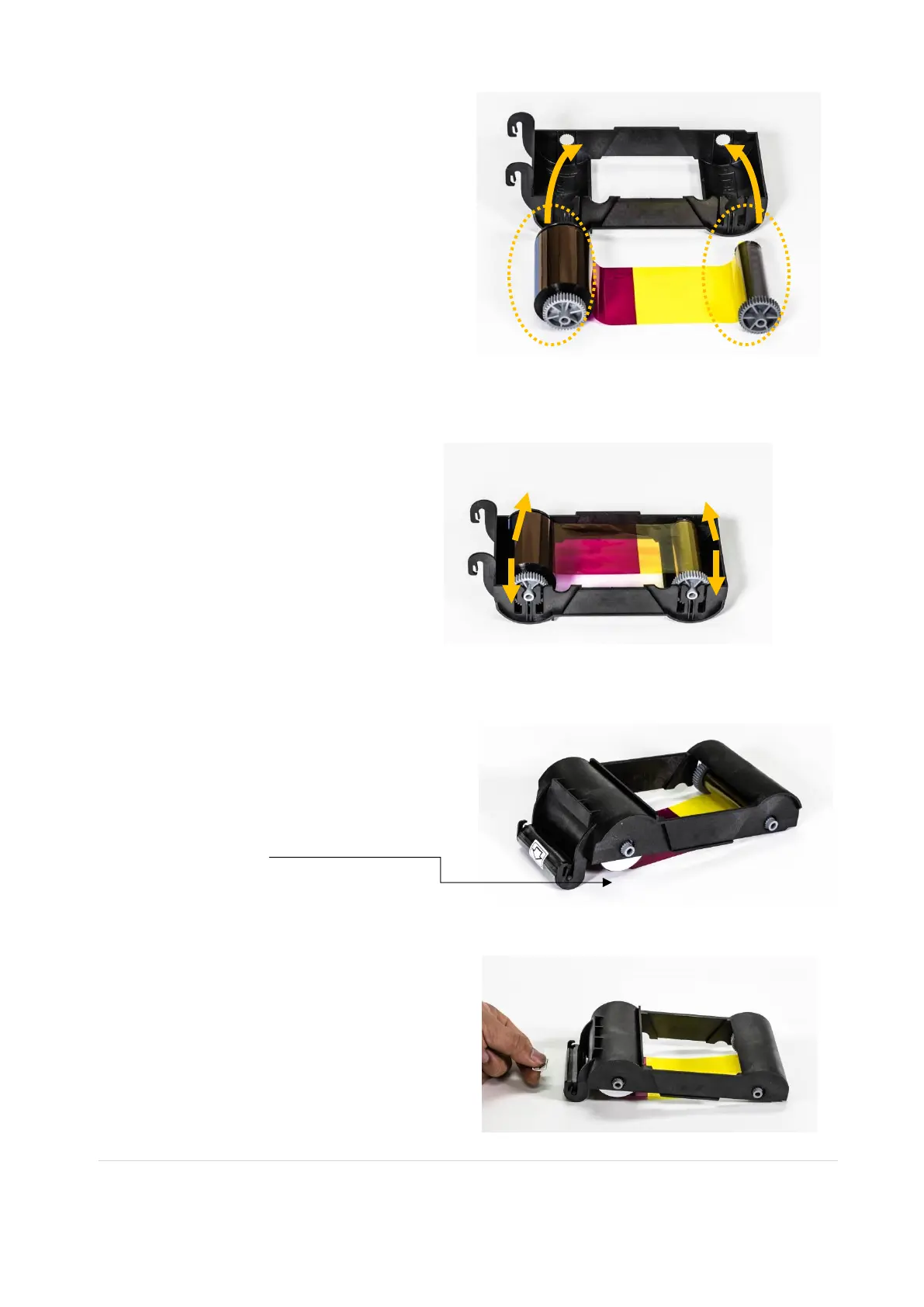
(4) Install a ribbon into the ribbon
cartridge as the right picture.
(5) Insert the supply side of the
ribbon to no.1 hole and press the
opposite (no.2). Insert the take-up
side of the ribbon same method to
no.3 and no.4. After inserting,
tighten the ribbon.
(Caution! If the ribbon is not tightened, a
rolling up error might be happened.)
(6) Install the disposable cleaning roller
to the ribbon cartridge.
The white disc (RFID tag) should always
be in this position
(7) Peel the protective wrapper from the
cleaning roller.
After removing the protective wrapper, the
cleaning roller should be kept clean from
fingerprints, dust and foreign substances
to avoid contamination because it is
adhesive.
(Caution! Do not use without peeling off



 To Next Page