9
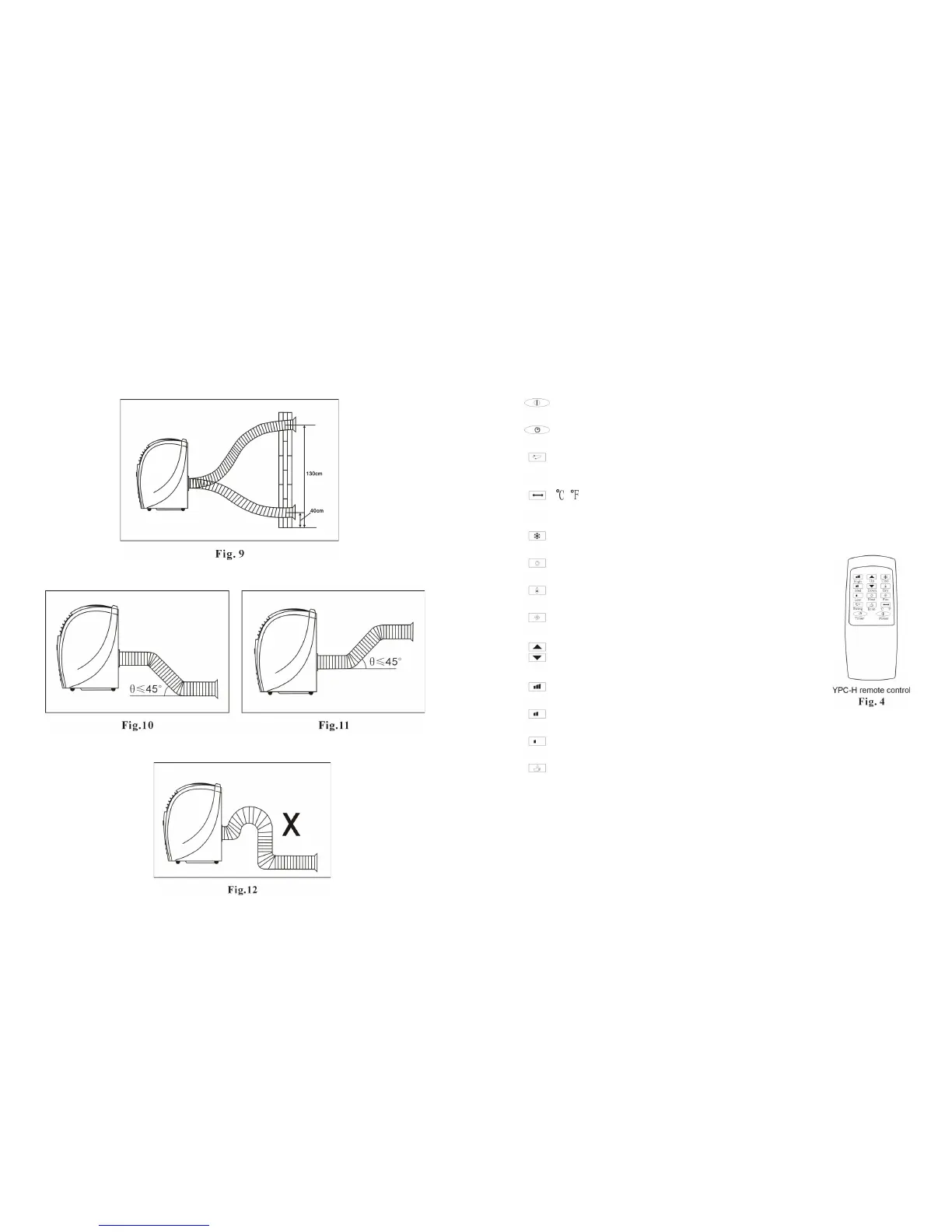
4.Mounting illustrations
1.mounting in the wall
2.correct bending
3.wrong bending
6
REMOTE CONTROL
Power Press this button to turn/off the unit.
Timer Press this button to set the timer.
Swing Press this button to make the vertical
louver swing automatically
Vary from Celsius degree to Fahrenheit
degree.
Cool Press this button to choose Cool mode.
Heat Press this button to choose Heat mode.
Dry Press this button to choose Dry mode.
Fan Press this button to choose Fan mode.
Up Press Up or Down button to set temperature
Down or adjust the time in Timer mode.
High Press this button to select high fan speed.
Med Press this button to select middle fan speed.
Low Press this button to select low fan speed.
Econ Press this button to a set energy saving mode only in Cool and
Heat mode. The set temperature is 27℃ in cool mode and
23℃ heat mode The fan speed is low. These data can’t be
changed.


 To Previous Page