EasyManua.ls Logo

EasyLog EL-USB-1 PRO - User Manual

EasyLog EL-USB-1 PRO
6 pages
Print Icon
To Next Page IconTo Next Page
Loading...
Easyg
EL-USB
Test Equipment Depot - 800.517.8431
- 5 Commonwealth Ave, MA 01801 - TestEquipmentDepot.com
Question and Answer IconNeed help?

Do you have a question about the EasyLog EL-USB-1 PRO and is the answer not in the manual?

Summary

Download and Install Software

Software Download and Installation

Instructions for downloading and installing the EasyLog USB software for Windows operating systems.

Using the Software

Connecting and Setting Up the Data Logger

Insert logger into USB, launch software, and follow the setup wizard for configuration.

Logger Usage and Data Retrieval

Advice on removing the logger from USB, and how to download data or view past records.

Replacing Your Data Loggers Battery

EL-USB-1 PRO Battery Replacement

Instructions for inserting the 3.6V 2/3AA battery for the EL-USB-1 PRO model.

EL-USB-1-RCG Battery Charging

Guidance on charging the pre-installed battery for the EL-USB-1-RCG via USB.

Our Product Range

EL-USB: Simple Low Cost Data Logging

Features USB interface for configuration and download, and is easy to use with Windows software.

EL-CC: Cold Chain Logistics Loggers

Low cost, reusable, waterproof loggers with pre-configured alarms for cold chain applications.

EL-GFX: Advanced Data Logging

Features a graphic LCD for real-time readings and graphs, with a compact and robust design.

EL-WiFi: Wireless Data Logging

Connects to WiFi networks for cloud-based monitoring with email alerts.

EL-MOTE: Cloud-based Data Logging

Cloud-based monitoring from any internet-enabled device with quick setup via smartphone app.

Important Safety Information

Repairing or Modifying Products

Avoid unauthorized repair or modification to prevent damage and voiding warranty. Servicing by authorized suppliers only.

Product Disposal and Recycling

Dispose of electronic components and lithium batteries separately from household waste according to regulations.

Overview

This document is a Quick Start Guide for the EasyLog EL-USB series of data loggers, providing essential information for setup, usage, and maintenance.

Function Description

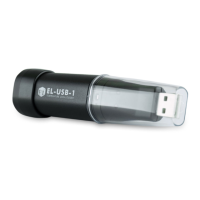
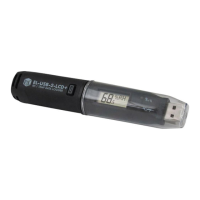
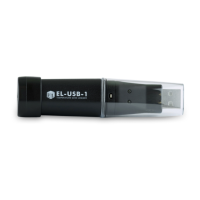
The EasyLog EL-USB series consists of simple, low-cost data loggers designed for various monitoring applications. These devices are used to record environmental parameters such as temperature, relative humidity, voltage, current, event states, and more. The data loggers feature a USB interface for easy configuration and data download to a PC. The EL-USB series includes several models, each tailored for specific needs, such as the EL-USB-1 for temperature, EL-USB-2+ for temperature and relative humidity, EL-USB-CO for carbon monoxide, and EL-USB-1-RCG for rechargeable temperature logging.

Important Technical Specifications

The EL-USB series covers a range of measurement types:

  • Temperature: Standard temperature logging.
  • Temperature/Relative Humidity: Combined measurement for environmental monitoring.
  • Voltage: For recording voltage levels.
  • Current: For recording current levels.
  • Event, State & Count: For tracking events or changes in state.
  • Thermocouple: For high-temperature measurements using external probes.
  • Carbon Monoxide (CO): Specifically for CO gas detection (e.g., EL-USB-CO).
  • Thermistor: For precise temperature measurements.

The devices are compatible with Windows™ 7/8/10 (32 & 64bit) operating systems for software installation and data management.

Usage Features

  1. Software Download and Installation: Users need to download and install the EasyLog USB software from the provided website. The software is compatible with Windows™ 7/8/10 (32 & 64bit).
  2. Data Logger Insertion: To begin, the data logger is inserted into an available USB port on a PC.
  3. Configuration: The EasyLog USB software is launched by double-clicking its icon on the Windows™ desktop. Users then click "Set up and start the USB data logger" and follow the on-screen wizard to configure the device for recording.
  4. Data Logging: Once configured, the data logger should be removed from the USB port to commence logging. It is advised not to leave the data logger in the USB port for extended periods, as this can lead to battery capacity loss (with the exception of the EL-USB-1-RCG, which is rechargeable).
  5. Data Download and Viewing: The software allows users to download recorded data from the logger or view previously saved data.
  6. Range of Products: The EasyLog range extends beyond basic USB loggers to include:
    • EL-CC (Cold Chain Logistics Loggers): Low cost, reusable, waterproof, with pre-configured alarms, ideal for monitoring goods in transit.
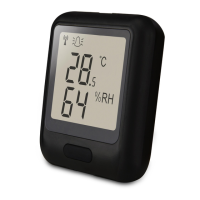
    • EL-GFX (Advanced Data Logging): Features a graphic LCD for real-time readings and graphs, compact and robust design.
    • EL-WiFi (Wireless Data Logging): Cloud-based monitoring with email alerts, connects to existing WiFi networks.
    • EL-MOTE (Cloud-based Data Logging): Cloud-based monitoring from any internet-enabled device, quick and easy setup via a smartphone app.

Maintenance Features

  1. Battery Replacement:
    • Standard EL-USB Models: Most loggers are provided with a pre-installed 3.6V 1/2AA battery. Instructions are provided for replacing the battery when needed. This typically involves removing a cover, replacing the battery, and reassembling the device.
    • EL-USB-1 PRO: This model requires the user to insert a 3.6V 2/3AA High Temperature battery before first use, following specific instructions.
    • EL-USB-1-RCG: This model features a pre-installed rechargeable battery. To charge, it should be connected to a USB port until a green LED indicates a full charge. The rechargeable battery should only be replaced by an authorized supplier.
  2. Safety Information:
    • Repairing or Modifying: Users are explicitly warned against attempting to repair or modify Lascar products. Dismantling, other than for changing replaceable batteries, may cause damage not covered under warranty. Servicing should only be performed by authorized suppliers.
    • Disposal and Recycling: Lascar products must be disposed of in accordance with relevant laws and regulations. They contain electronic components and lithium batteries, requiring separate disposal from household waste.

This guide ensures users can quickly set up and operate their EL-USB data loggers while adhering to important safety and maintenance guidelines.

EasyLog EL-USB-1 PRO Specifications

General IconGeneral
BrandEasyLog
ModelEL-USB-1 PRO
CategoryData Loggers
LanguageEnglish

Related product manuals