Need help?
Do you have a question about the EasyLog EL-USB and is the answer not in the manual?
Instructions for inserting the 3.6V 2/3AA High Temperature battery for the EL-USB-1 PRO.
Instructions for charging the pre-installed rechargeable battery via USB for the EL-USB-1-RCG.
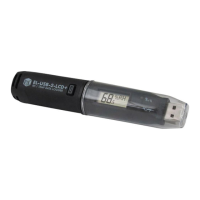
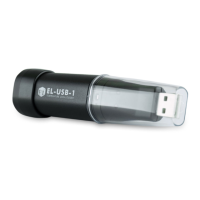
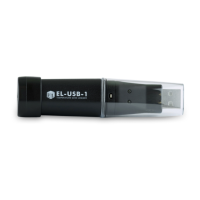
Simple low-cost data logging with USB interface for configuration and download.
Low cost, reusable, waterproof loggers with pre-configured alarms for cold chain.
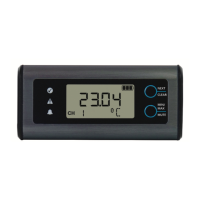
Advanced data loggers with graphic LCD for real-time readings and compact, robust design.
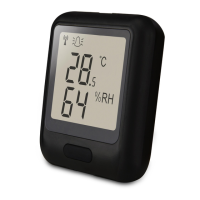
Cloud based monitoring with email alerts, connects to existing WiFi networks.
Cloud based monitoring from any internet enabled device, quick set-up from smartphone app.
Never attempt to repair or modify Lascar products; servicing by authorized suppliers only.
Dispose of Lascar products according to laws, separate electronic components and batteries.
This document serves as a Quick Start Guide for the EasyLog EL-USB series of data loggers, providing essential information for software installation, device usage, and battery replacement. The EL-USB range encompasses a variety of data loggers designed for different measurement parameters and applications, from simple temperature logging to more advanced environmental monitoring.
The EasyLog EL-USB series consists of compact, USB-interfaced data loggers primarily used for monitoring and recording various environmental parameters over time. These devices are designed to be user-friendly, allowing for easy setup, data collection, and analysis. The range includes models for temperature, humidity, carbon monoxide, and event logging, catering to diverse monitoring needs across industries such as cold chain logistics, environmental monitoring, and facility management.
The core function of these data loggers is to autonomously record measurements at predetermined intervals. Once configured, they can be deployed to monitor conditions in a specific environment, storing the collected data internally. After the monitoring period, the data can be downloaded to a computer for analysis, trending, and reporting using the EasyLog USB software. This capability makes them invaluable tools for ensuring compliance, identifying anomalies, and optimizing environmental conditions.
Specific models within the EL-USB range offer specialized functionalities:
Beyond the EL-USB series, the EasyLog range extends to other product lines like EL-CC (Cold Chain Logistics Loggers), EL-GFX (Advanced Data Logging), EL-WiFi (Wireless Data Logging), and EL-MOTE (Cloud-based Data Logging), each offering distinct features and connectivity options to meet a broader spectrum of data logging requirements.
The EasyLog EL-USB data loggers are designed for straightforward operation, emphasizing ease of use from setup to data retrieval.
Software Installation and Setup: The first step involves downloading and installing the EasyLog USB software, compatible with Windows™ 7/8/10 (32 & 64bit). The software is available from the Lascar Electronics website. Once installed, users can configure their data logger by inserting it into an available USB port and launching the EasyLog USB software. The software guides users through a setup wizard, allowing them to define parameters such as logging rate, start mode, alarm thresholds, and measurement units (°C/°F, %RH). This intuitive interface simplifies the process of preparing the logger for deployment.
Data Logging and Retrieval: After configuration, the data logger should be removed from the USB port to conserve battery life and begin recording according to the programmed settings. The devices are designed to operate autonomously for extended periods, capturing data at regular intervals. When the monitoring period is complete, or data needs to be reviewed, the logger is re-inserted into a USB port. The EasyLog USB software can then download the recorded data, presenting it in a graphical format for easy analysis. Users can also view previously saved data within the software, facilitating historical trend analysis and reporting.
Real-time Monitoring (for LCD models): Models equipped with an LCD screen, such as the EL-USB-2-LCD and EL-21 CFR-TP-LCD, offer the added convenience of real-time data display. This allows users to quickly check current readings (e.g., temperature, humidity) directly on the device without needing to connect it to a computer, providing immediate feedback on environmental conditions.
Durability and Design: Many of the EL-USB loggers are described as "low cost, reusable and waterproof," highlighting their suitability for various environments, including those with challenging conditions. The EL-GFX series, for instance, is noted for its "compact and robust design" and "graphic LCD for real-time readings and graph," indicating a more advanced and durable build for demanding applications.
Alarm Capabilities: The software allows users to set alarm thresholds. If the monitored parameters exceed or fall below these predefined limits, the logger can indicate an alarm condition, alerting users to potential issues. This feature is particularly useful for critical applications like cold chain monitoring, where maintaining specific conditions is paramount.
Maintenance for the EasyLog EL-USB data loggers primarily revolves around battery management and proper handling.
Battery Replacement (for standard models): Most EL-USB data loggers are powered by a 3.6V 1/2AA battery, which comes pre-installed. The Quick Start Guide provides clear, step-by-step instructions for replacing this battery. This typically involves unscrewing the end cap of the logger, carefully removing the old battery, inserting a new one with the correct polarity, and then reassembling the device. This user-serviceable battery design ensures the longevity of the data logger.
Battery Insertion (for EL-USB-1 PRO): For specific models like the EL-USB-1 PRO, the battery (a 3.6V 2/3AA High Temperature battery) needs to be inserted by the user before the first use. The guide provides visual instructions for this process, ensuring proper installation.
Rechargeable Battery (for EL-USB-1-RCG): The EL-USB-1-RCG model features a preinstalled rechargeable battery. To charge this battery, the device simply needs to be connected to a USB port until a green LED indicates a full charge. This eliminates the need for frequent battery replacements, offering convenience and reducing waste. However, the guide specifies that the rechargeable battery should only be replaced by an authorized supplier, indicating a more specialized service requirement for this particular component.
Battery Conservation: A crucial maintenance tip highlighted in the guide is to remove the data logger from the USB port once setup is complete. Leaving the data logger connected to the USB port for extended periods can lead to a loss of battery capacity, shortening its operational life. The EL-USB-1-RCG is an exception to this rule due to its rechargeable nature.
Disposal and Recycling: The "IMPORTANT SAFETY INFORMATION" section emphasizes responsible disposal and recycling. Lascar products contain electronic components and lithium batteries, which must be disposed of separately from household waste, in accordance with relevant laws and regulations. This highlights the manufacturer's commitment to environmental responsibility and guides users on proper end-of-life management for their devices.
Repair and Modification: Users are explicitly warned against attempting to repair or modify Lascar products themselves. Dismantling the devices, other than for changing replaceable batteries, may cause damage not covered under warranty. All servicing should be provided by an authorized supplier to ensure the device's integrity and continued functionality. This policy safeguards both the user and the product, ensuring that any necessary repairs are performed by qualified personnel.
 General
| Measurement Parameters | Temperature |
|---|---|
| Interface | USB |
| Temperature Range | -35°C to +80°C (-31°F to +176°F) |
| Logging Rate | User selectable between 10 seconds and 12 hours |
| Software | EasyLog USB |
| Operating Temperature | -35°C to +80°C (-31 to +176°F) |
| Battery Life | 1 year (typical use) |

 To Next Page