Need help?
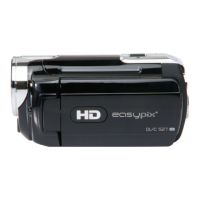
Do you have a question about the Easypix DVC 5227 and is the answer not in the manual?
Explains the display indicators and settings during capture mode.
Details the display indicators and information during video recording.
Describes the display elements visible when reviewing recorded files.
Step-by-step guide on how to insert AAA batteries into the camera.
Instructions for inserting an SD or MMC card for storage.
Procedures for powering the camera on and off using the power button.
Steps to capture still photographs using the camera.
Instructions on how to record video clips, including pause/resume.
Guide for recording audio only, including pause and resume functions.
How to view still images that have been recorded on the camera.
Steps to play recorded video clips, including navigation controls.
Instructions for playing back recorded audio files.
Guide to connect the camera to a television for viewing content.
Instructions for transferring files using an external card reader.
Instructions for connecting the camera to a PC using a USB cable.
 General
| Optical Sensor Resolution | 5 MP |
|---|---|
| Digital Zoom | 4x |
| Sensor Resolution | 5 MP |
| Sensor Type | CMOS |
| Display | LCD |
| Connectivity | USB 2.0 |
| Zoom | 4x digital zoom |
| Storage | SD card |
| Battery | Rechargeable Lithium-Ion |
| Display Size | 2.7 in |
| Video Resolution | 1280 x 720 |

 To Next Page