EasyManua.ls Logo

Easypix V64 FLIP - Mode Selection

Easypix V64 FLIP
34 pages
Print Icon
To Next Page IconTo Next Page
To Previous Page IconTo Previous Page
Loading...
EASYPIX® V64 FLIP |EN|
22
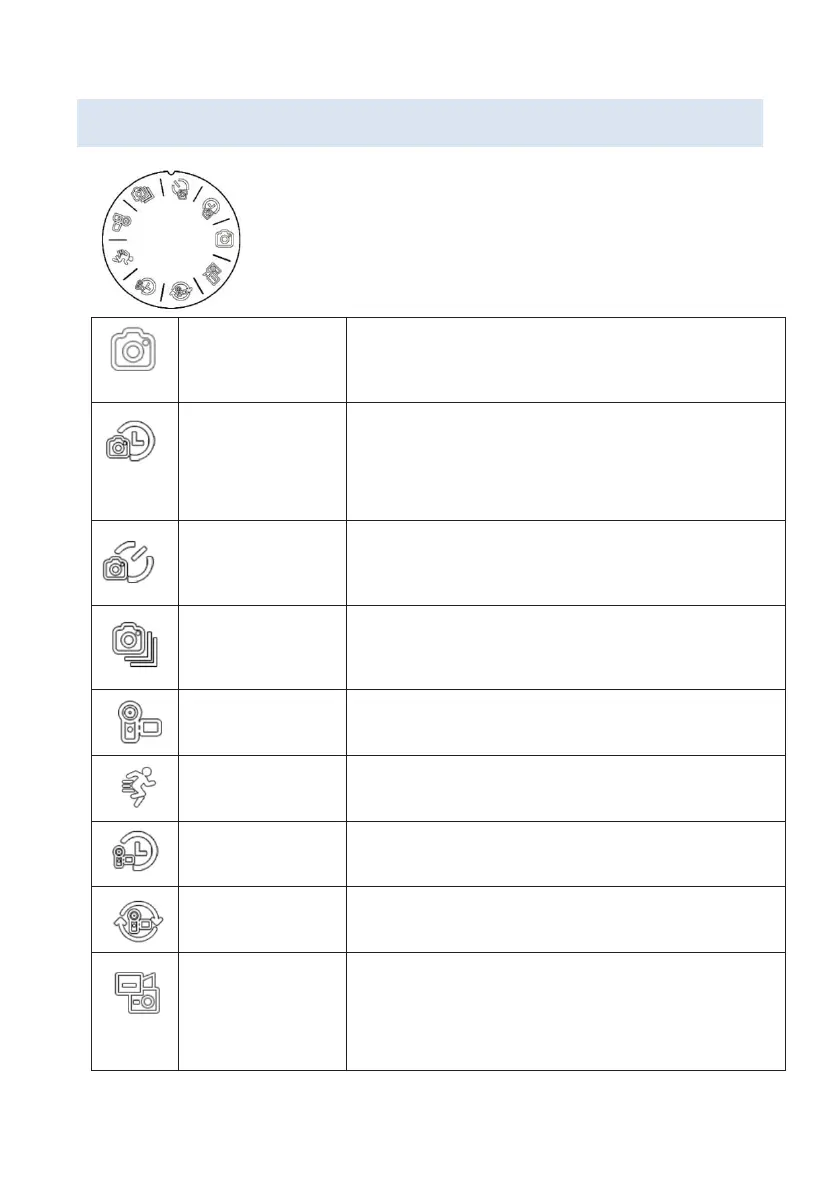
Mode selection
Turn the mode dial to select a mode.
Photo
Capture a single photo with each press of
the shutter button.
Auto Photo
Interval photos: Automatically cycle take
photos after a specified number of
seconds.
Self-Timer
Captures a single photo after a set amount
of time has elapsed.
Burst Photo
Captures multiple images with each press
of the shutter button.
Video
Normal video recording mode.
Slow Motion
Slow motion recording.
Time Lapse
Time compression for video recordings.
Loop Video
Auto Loop recording mode.
Video+Photo
During video recording, you can take
individual photos according to the set
recording interval.

Related product manuals