©CWA 4/2021 GEN-951
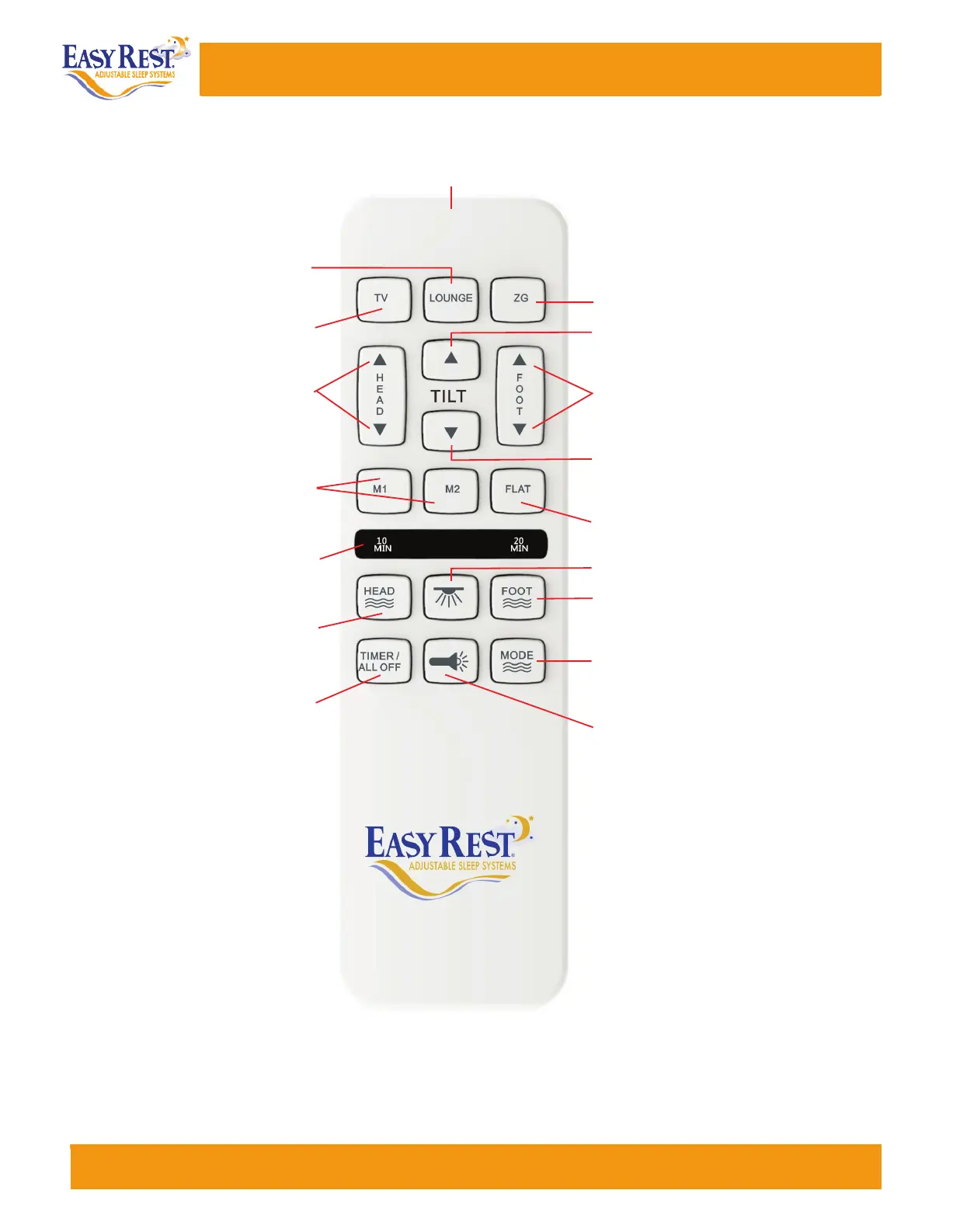
Flashlight
•
One Touch Lounge Preset Position
•
•
Foot Lifts and Lowers
Press and hold the UP or DOWN arrow to
lift and lower the foot section of the base.
One Touch TV Preset Position
•
Head Lifts and Lowers
•
Press and hold the UP and DOWN arrows to
lift and lower the head section of the base.
10, 20,30
Minute Massage Timer Light
•
Light indicates a 10, 20, or 30 minutes
timer setting.
•
Foot Massage ON (3 intensities)
Press button to turn ON the foot massage.
Cycles through 3 intensities.
Head Massage ON (3 intensities)
•
Press button to turn ON the head massage.
Cycles through 3 intensities.
•
Massage Modes Select (5 modes)
Press button to CHANGE the massage modes.
Cycles through 5 intensities.
Head and Foot Massage Timer / OFF
•
Press button to select a 10, 20, or 30
minute setting. Pressing a fourth time will
turn OFF the massage mode.
•
One Touch Flashlight - ON / OFF
Press and HOLD for the flashlight to stay on.
Memory Position Buttons
•
Press M1 or M2 memory button to recall
programmable preset positions.
•
One Touch Flat Preset Position
PLATINUM MODEL
REMOTE CONTROL - WIRELESS
•
One Touch ZG Preset Position
•
Lift Tilt Headrest
Press the UP arrows to lift and tilt the
headrest section of the base.
•
Lower Tilt Headrest
Press the DOWN arrows to lower the tilt
and headrest section of the base.
•
One Touch Underbed LED Light - ON / OFF
GEN951 Platinum Model Remote-ER4000-MMB_Easy Rest 4/23/21 3:12 PM Page 1
Remote Control instrucons can also be downloaded at www.easyrest.com/customerservice/
remotes. If you have followed these direcons and are sll having diculty you can reach our
Customer Service Department.
Customer Service: 1-800-523-5383
09
Planum Remote Control Instrucons



 To Next Page