11
standard USB port with computer. With a communication wire to connect UPS and computer, could simply
achieve UPS management.
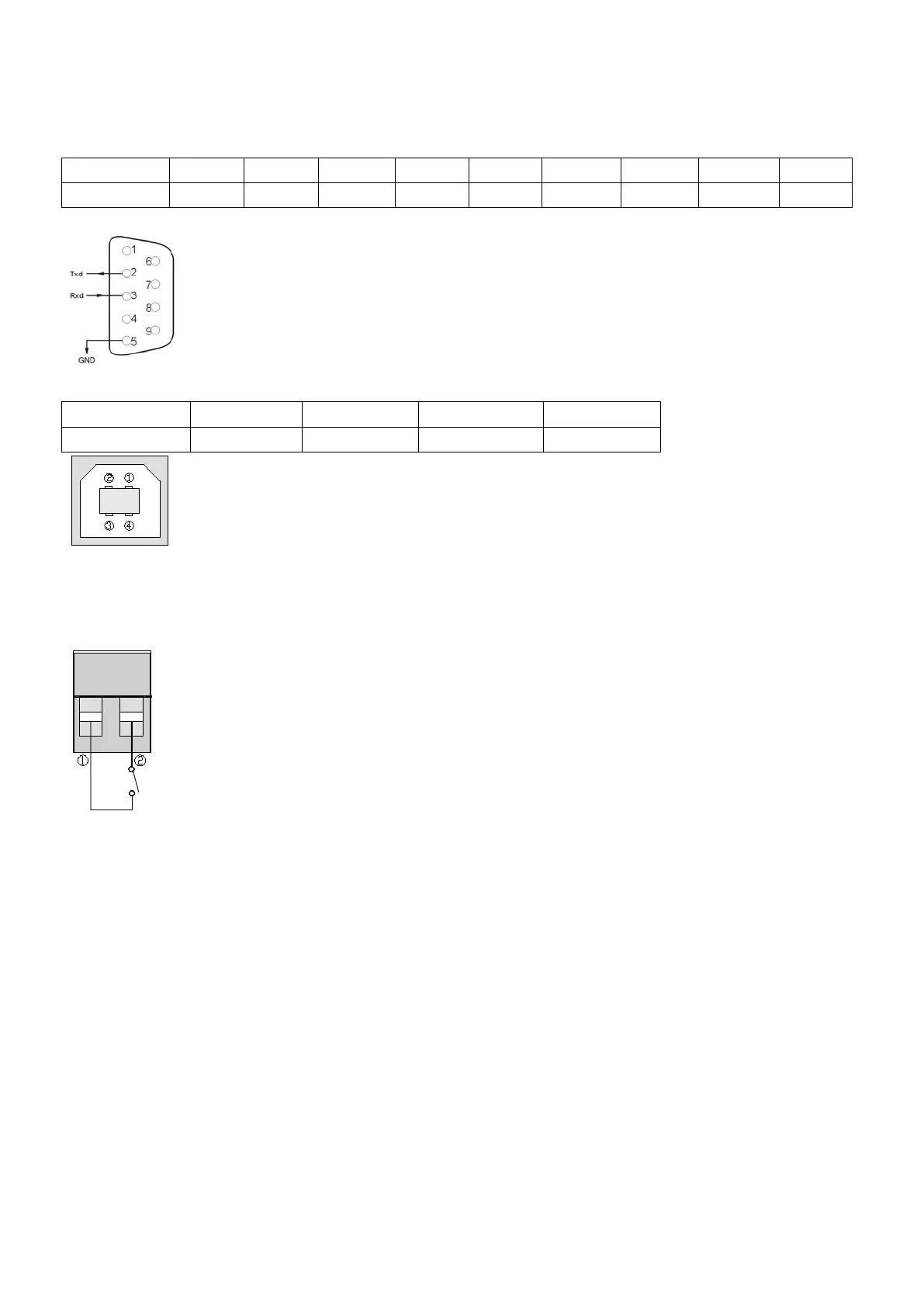
☆RS232 port:
Foot 1 2 3 4 5 6 7 8 9
Explanation empty send receive empty ground empty empty empty empty
☆USB port:
Foot 1 2 3 4
Explanation +5V date+ date- GND
3.5.2 EPO port
EPO is short for Emergency Power Off, EPO port is on rear panel of UPS, it’s green, in some emergent cases,
users could cut off the output of UPS immediately by operating EPO port. Wiring diagram as below:
Normally, pin1 and pin2 are connected so that the machine can be working normally. When some
emergencies happen, and when users do have to cut off the output, just need to disconnect the connection
between pin1 and pin2, or there is a anther useful simple way is pulling it out.
3.5.3 Intelligent card (option)
This series High frequency online UPS supply a intelligent slot on rear panel, it’s for SNMP card, dry contact
and USB card, users could insert any type intelligent card from those three into it to monitor and manager the
UPS. You don’t have to turn off the UPS when you install the intelligent card. Procedure as following:
●Fist of all, remove the intelligent slot cover;
●Then insert the intelligent card(SNMP card, dry contact or USB card);
●Last, screw the intelligent card back.
> SNMP card (option)
SNMP card on UPS is compatible with the most software, hardware and network operating system, it is a
network management of UPS, with this function, UPS can login on internet , which can supply information of
UPS status and input power, and even possible to control UPS via net management system.
> Dry contact card (option)


 To Next Page