21
Press and hold the inquiring key or for more than half a second(less than 2 seconds) to inquire about
items. The inquired items include input, battery, output, load and temperature. The displayed items on LCD
screen are showed as following:
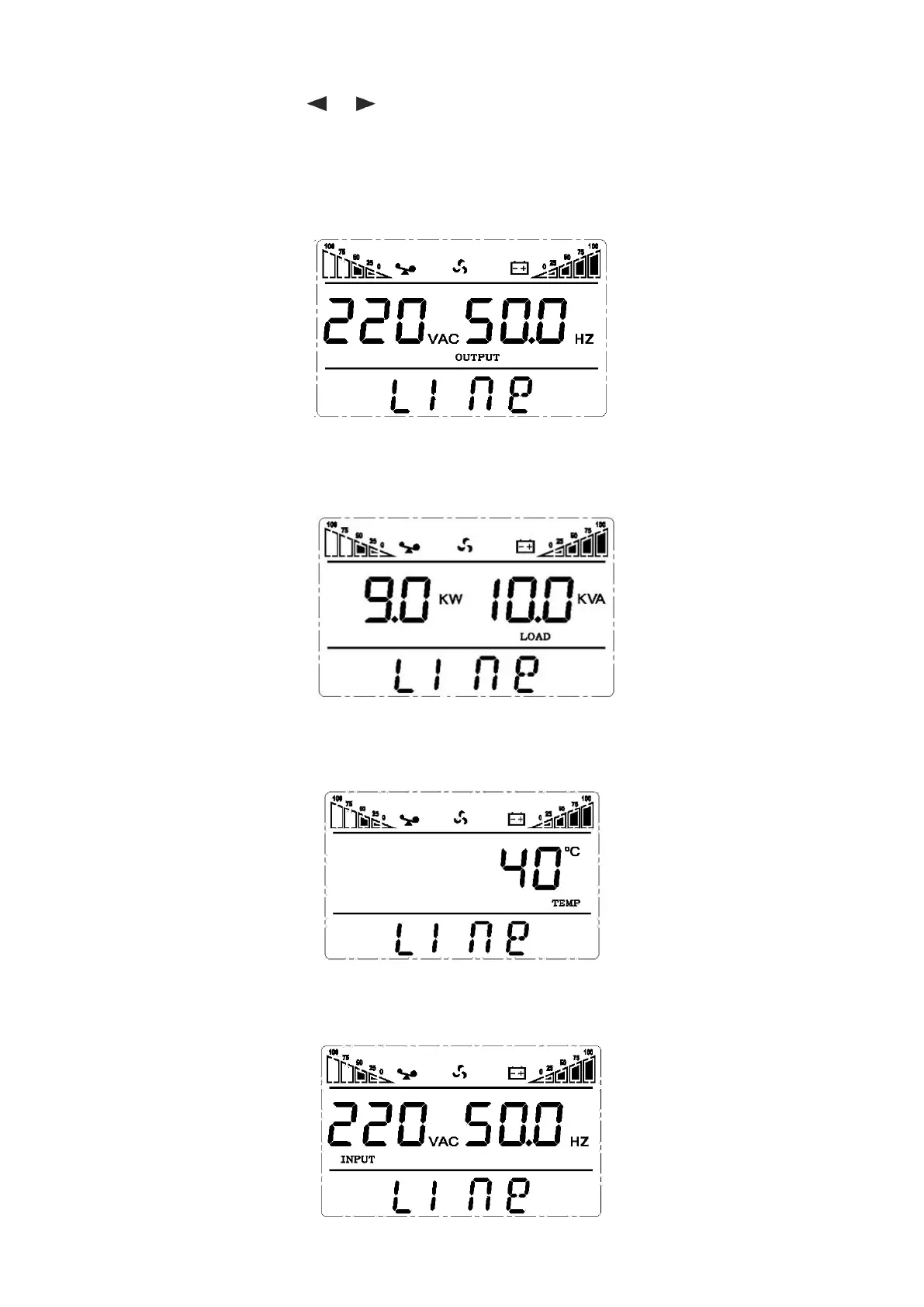
Output:Display the output voltage and output frequency of the UPS. As the following graphic shows, the
output voltage is 220V, the output frequency is 50Hz.
Load: Display the numerical value of the active power (WATT) and apparent power (VA) of the load. For
example, as the following graphics shows: the WATT of the load is 9KW, VA is 10KVA (when disconnect load,
it is a normal phenomenon to show a small numerical value of WATT and VA).
Temperature: Display the maximum temperature of the components in the UPS. As the following graphics
shows: the maximum temperature is 40℃.
Input: Display the voltage and frequency of the input. As the following graphics shows: the input voltage is
220V, input frequency is 50Hz.


 To Next Page