EasyManua.ls Logo

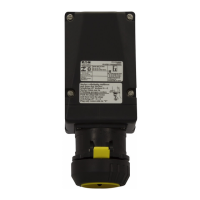
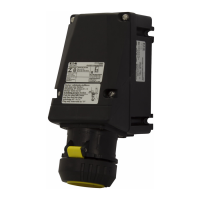
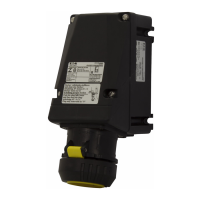
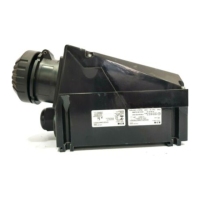
Eaton GHG 521 - User Manual

Eaton GHG 521
16 pages
Go to English
Print Icon
To Next Page IconTo Next Page
Loading...
Steckvorrichtungen für Industrieanwendungen
16 A, 3-polig, 4-polig, 5-polig, GHG 521
Plug and socket system for industrial use
16 A, 3-pole, 4-pole, 5-pole, GHG 521
Fiches et prises de 16 A, à 3 pôles, 4 pôles, 5 pôles,
pour utilisation industrielle, GHG 521
Betriebsanleitung
Operating instructions
Mode d’emploi
CROUSE-HINDS
SERIES
GHG 510 7001 P0003 D/GB/F (i)

Questions and Answers

  • A
    Antonio RomeroSep 10, 2025
    What to do if Eaton Diagnostic Equipment mode will not leave OOS Block Alarms?
    • S
      Samantha HerreraSep 10, 2025
      If the Eaton Diagnostic Equipment mode will not leave OOS Block Alarms, first set the target mode to something other than OOS. If this doesn't work, try restarting the device by setting RESTART to Processor. Also, ensure that FEATURES_SEL has Alerts enabled by enabling the report bit, and set LIM_NOTIFY equal to MAX_ NOTIFY. If the block error persists, it could indicate a memory failure or features notification issue, and you should call the factory for assistance.
  • T
    Tyler EllisSep 12, 2025
    What to do if the green Power LED is not lit on my Eaton Industrial Equipment?
    • D
      David GreeneSep 12, 2025
      If the green Power LED is not lit, verify the polarity and integrity of the trunk cable connections to the enclosure. Also, check that the d.c. supply powering the incoming trunk is operating correctly.
  • S
    Stephanie FernandezSep 14, 2025
    What to do if my Eaton Industrial Electrical sign will not light?
    • G
      gutierrezshawnSep 14, 2025
      If your Eaton Industrial Electrical sign won't light, several issues could be the cause. First, check the power wires for any current loss between electrical components and the Constant Current Regulator (CCR), replacing any faulty components as needed. If the Isolation Transformer isn't properly sized, replace it with the correct size. Also, verify that the LED cable connections are correctly seated; reseat them if necessary. If the power supply has failed, replace it with a new one. In case of a short circuit in the LED strip or cable, replace the affected parts. Finally, ensure the optional ON/OFF switch is in the ON position.
  • N
    Natalie RochaSep 15, 2025
    Why is my Eaton Industrial Electrical sign blinking/flickering?
    • O
      ograySep 15, 2025
      If your Eaton Industrial Electrical sign is blinking or flickering, it could be due to a couple of reasons. The Isolation Transformer may not be sized properly, in which case you should replace it with one of the correct size. Alternatively, a power supply might be operating in a fault condition, potentially starving other power supplies in the same sign. If the status LED is blinking, this indicates a fault.
  • M
    Michele CooperSep 18, 2025
    How to fix uneven brightness in my Eaton Industrial Electrical sign?
    • S
      shawn39Sep 18, 2025
      Uneven brightness in your Eaton Industrial Electrical sign can stem from a few potential issues. Ensure that the jumpers are correctly placed for your specific sign and that the jumper settings for each power supply are proper for the LED strip(s) they are powering. Also, verify that the LED modules are mounted and wired correctly. Another cause may be an open circuit within the LED strip(s); in this case, replace the affected LED strip(s) or LED cable(s) with new ones.

Eaton GHG 521 Specifications

General IconGeneral
BrandEaton
ModelGHG 521
CategoryLighting Equipment
LanguageEnglish

Related product manuals