Read the operating instructions and become familiar with the buttons and their functions.
The buttons will allow you to select modes, enter numbers and save and display nutritional
information.
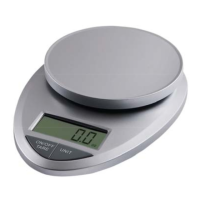
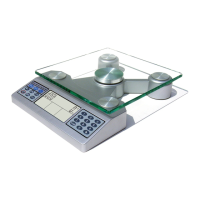
The EatSmart™ Nutrition Scale has two modes to help calculate nutritional information
accurately and is explained on the following pages in more detail.
1) The Normal Mode will calculate 12 nutrients from the 999 foods programmed into the scales
memory.
2) The Nutrition Facts Calculator mode will calculate nutrients from a portion of food that comes
with a Nutrition Facts Label on the side or back of a package, can or container.
TIPS
1) Make sure the scale is on a clean, at surface.
2) When placing a plate or bowl on the scale, make sure the weight is at zero before placing food
on the plate. If not, press tare.
3) All food should be weighed in edible form to provide the most accurate values without pits,
rinds and skins unless specied.
4) Familiarize yourself with the food codes and write the most common food items down in the
back of this brochure for easy reference.
5) Get into the habit of weighing food and eyeballing food in grams, not ounces. Most nutritional
information is displayed in grams, especially the USDA required Nutrition Facts labels.
6) Use the 1/2/3/4 button to focus on key nutrients appropriate for your needs.
1-Diet and diabetes
2-Cardiovascular
3-Lipids
4-Osteoporosis and warfarin users
GETTING TO KNOW YOUR SCALE
3


 To Next Page