5
Driving your Helicopter
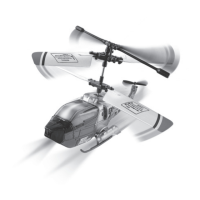
The same remote control can be used to drive your helicopter. Gently move the
Left joystick to move the helicopter forward. Move the Right joystick right or
left to change the direction of the helicopter.
INTERFERENCE
Some radio frequencies or other R/C units nearby can cause interference and
poor performance. Try to move away from the source of the interference.
Flight Conditions:
Please ensure the following conditions for your ight location:
• Indoor Environment with little air conditions. Heavy air-conditioning can be
too strong of conditions for heli ight. It is also highly recommended to turn
o all electric fans, air conditioning units, or reading lamps that could impair
ying.
• We recommend that the area/space for ight be at least 10 ft. x 15 ft. x 10 ft.
Control Tips:
• It is best to start with both joysticks on the remote control in the middle posi-
tion. Do not immediately push into extreme positions. Instead start by gently
easing the joystick into the position of which direction you would like to go.
• EXRC recommends for initial piloting of the helicopter, focus on learning to
control the throttle joystick rst. During your rst ight we recommend you
work at learning to keep the helicopter at a constant 3 foot altitude before
attempting to learn directional control of the helicopter. After the pilot has
mastered the throttle joystick, then start learning to turn with the direction
joystick.
US9969IS01EXC.indd 5US9969IS01EXC.indd 5 7/29/11 11:32 AM7/29/11 11:32 AM


 To Next Page