- 19 -
A
•
Operation
•
Multiple cut
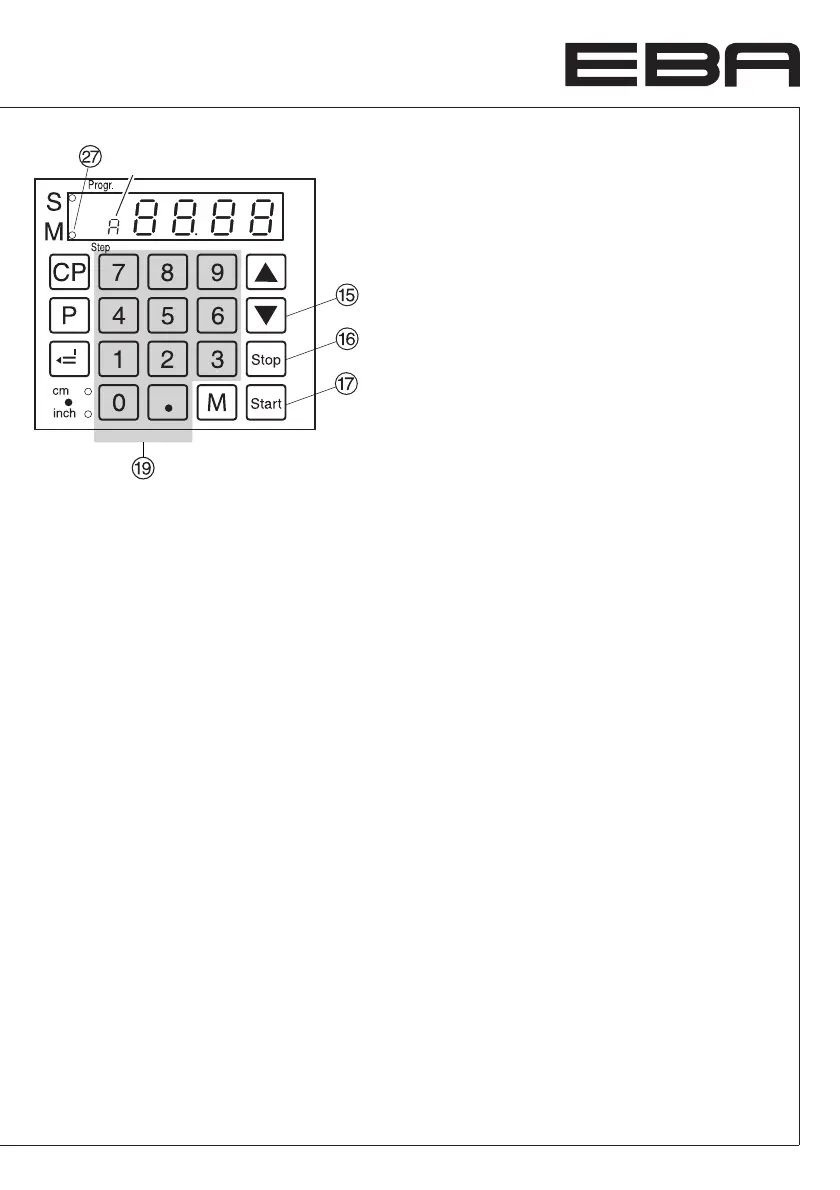
There are 2 multiple cuts to choose from.
1.Option: backgauge moves automatically
after each cut.
2.Option: backgauge is moved by pressing
the
S
button after each cut.
Multiple cut function (automatic)
• Press
T
the LED "M"
a
and "A" will be
on.
• Enter the multiple cut size
S
.
• Press
S
backgauge will advance by a
multiple cut size cut is activated
backgauge moves automatically one
multiple cut size further.
• Etc.
Multiple cut function (using the
S
button)
• Press
T
twice the LED "M"
a
will be on.
• Enter the multiple cut size
S
.
• Press
S
backgauge will advance by a
multiple cut size cut is activated.
• Press
S
backgauge will advance to next
multiple cut size.
• Etc.
Pressing the
s
button
P
shows the actual
size.
Exiting program mode
Press
T
twice when using option 1
(automatically).
Press
T
once when using option 2
(pressing the
S
button).


 To Next Page