Setting the controls
Humidistat
Initially set to maximum by turning the humidistat dial fully clockwise.
When signs of excess moisture (such as condensation) are reduced gradually turn
the humidistat dial anti-clockwise until the unit just switches off.
If signs of excess moisture re-appear increase the humidistat setting. Alternatively if
you are no longer suffering from excess moisture and your dehumidifier runs for long
periods a lower setting can be selected. After adjusting the humidistat always allow
5 minutes for the unit to start dehumidifying.
1
2
3
1
2
3
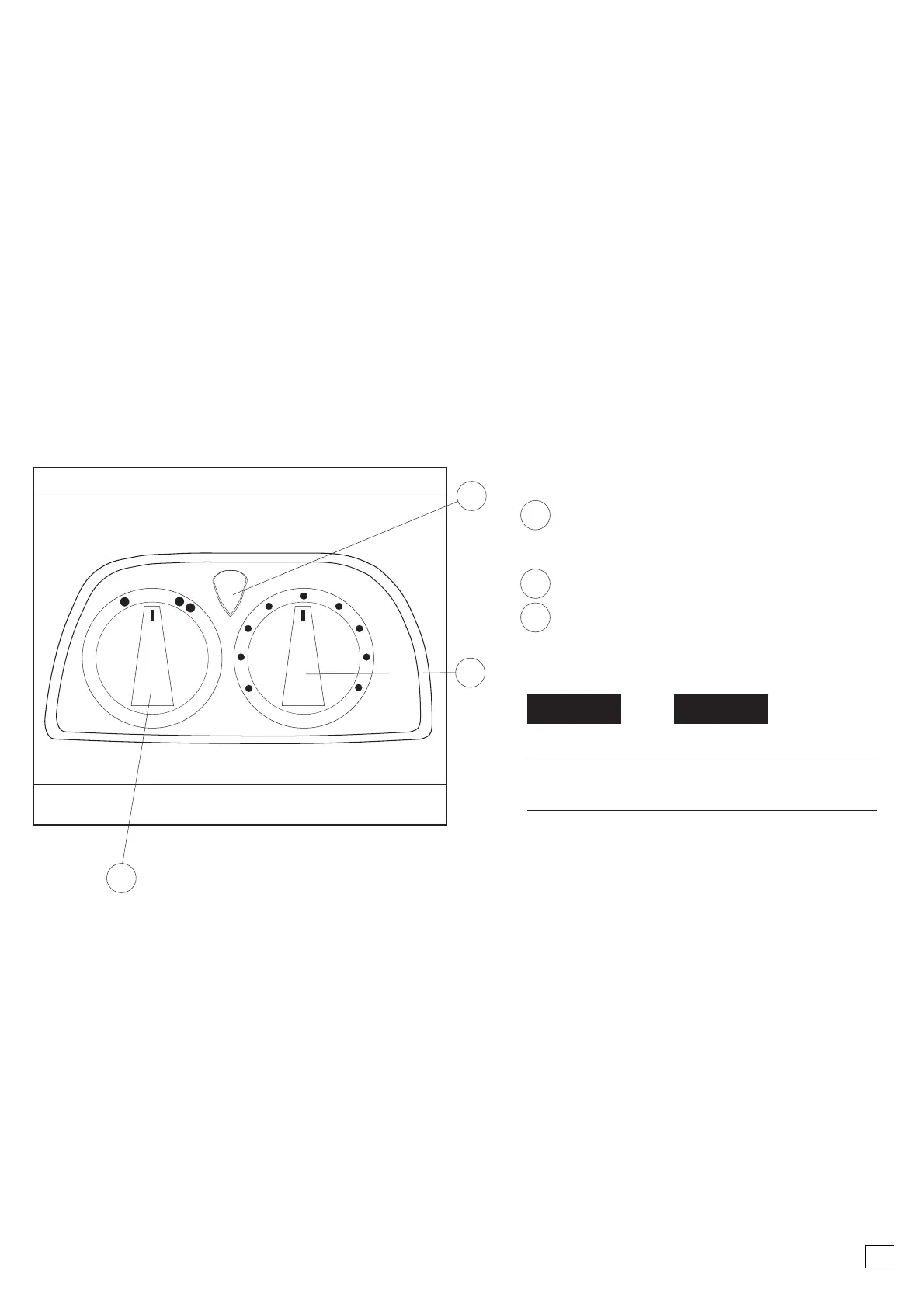
Dual Dial Models
Power On and Container Full
Indication
Fan Speed Control
Humidstat
Low/Quiet Setting
High Setting for
maximum extraction
1
2
Fan Speed Control
Setting Function
To adjust fan speed
Turn the fan speed dial to
desired position
32
GB


 To Next Page