ebm-papst A&NZ Pty Ltd 10 Oxford Road · Laverton North VIC 3026 · Phone +61 (03) 9360 6400 · Fax +61 (03) 9360 6464
ABN 33 115 927 556 NSW Phone +61 (02) 9827 6400 · NSW Fax +61 (02) 9827 6464 · NZ Phone +64 (09) 525 0245 · NZ Fax +64 (09) 525 0246
sales@ebmpapst.com.au · www.ebmpapst.com.au
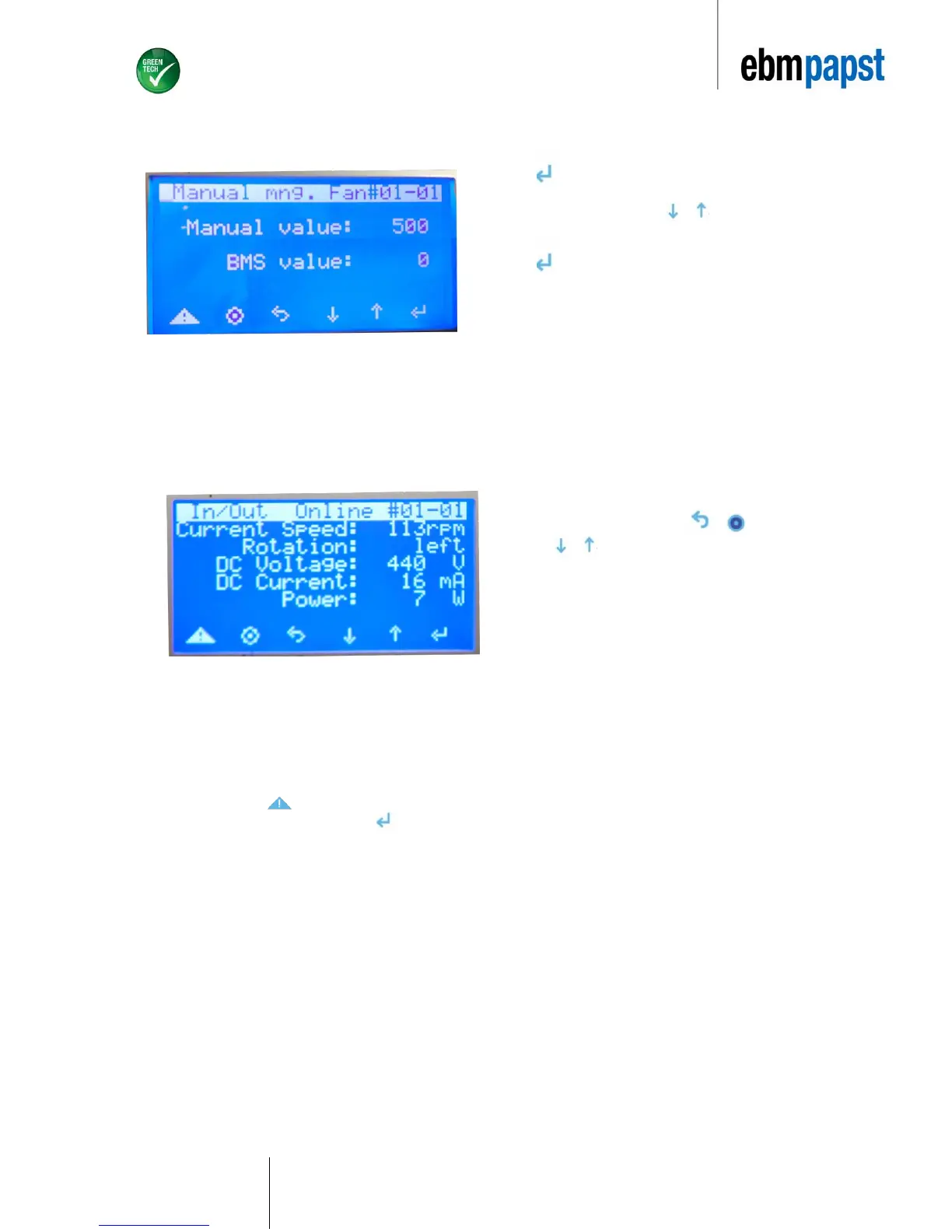
Press to access edit mode. Here you can enter
the desired speed as described in the below steps.
Speed is displayed in rpm. Press or to aquire
desired speed value.
Press again once appropriate speed is selected. Fan
will operate at requested speed.
Repeat speed if there is more than one fan in the
application. Note: following recovery from a power failure
the device will revert to the rpm value that is entered in
“manual value”.
6.5.6 Viewing real-time fan data
Return to the main menu by pushing or .
Pressing or keys will allow the user to view data for the
specific fan that is desired.
6.5.7 Alarm
In case the fans have been disconnected from the device or if they are not addressed appropriately the EC-FAN GATEWAY
will give off an audible alarm.
To view the alarm, press . The description of the respective problem will be displayed in the alarm log.
Once you have viewed the alarm screen, press . The beeping sound will cease.
Unless the problem is rectified, the EC-FAN GATEWAY will continue to indicate an alarm warning. The beeping sound will persist and the
description of the respective problem will be displayed in the alarm log.


 To Next Page