ebm-papst A&NZ Pty Ltd 10 Oxford Road · Laverton North VIC 3026 · Phone +61 (03) 9360 6400 · Fax +61 (03) 9360 6464
ABN 33 115 927 556 NSW Phone +61 (02) 9827 6400 · NSW Fax +61 (02) 9827 6464 · NZ Phone +64 (09) 525 0245 · NZ Fax +64 (09) 525 0246
sales@ebmpapst.com.au · www.ebmpapst.com.au
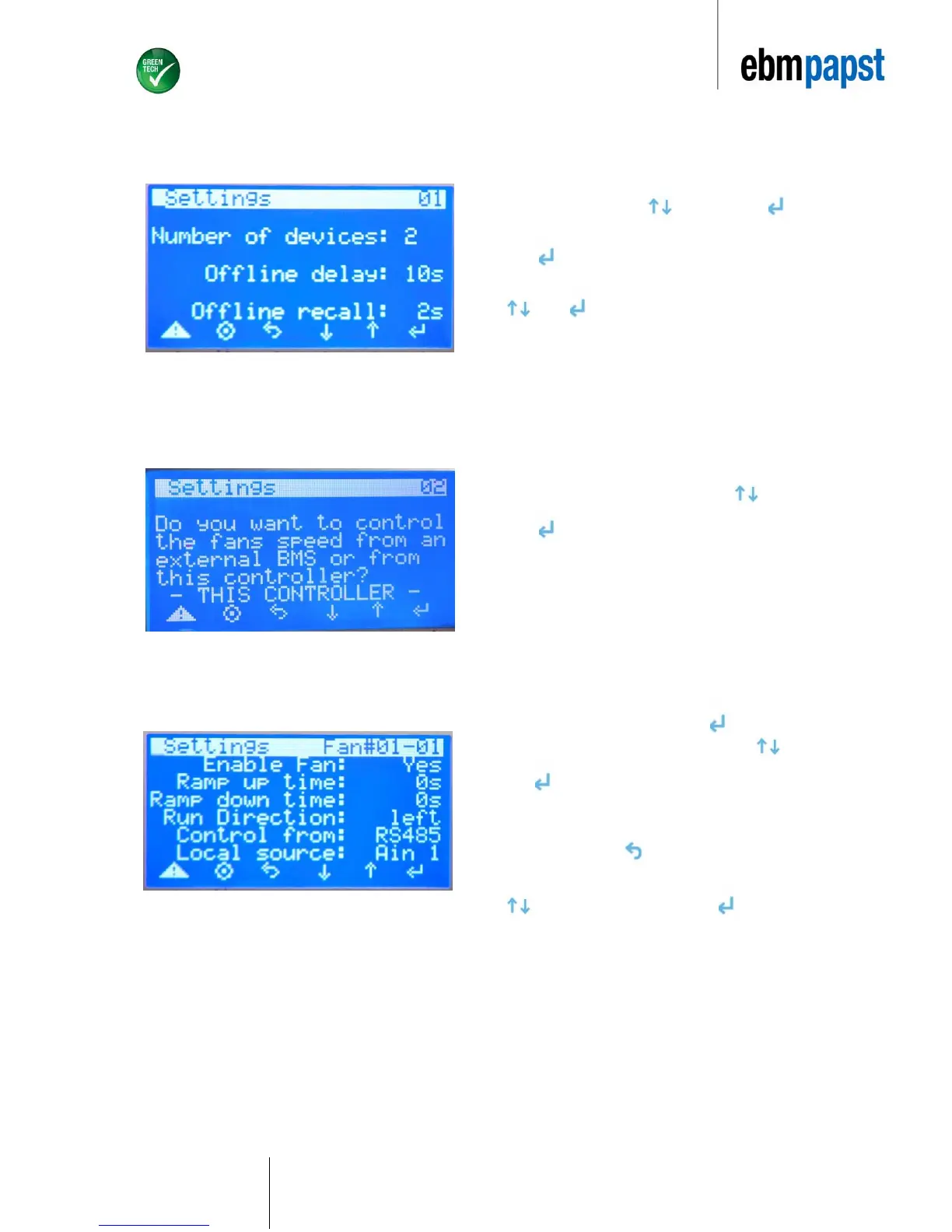
Choose “a.Settings” by using to scroll and press to choose
option.
Press to edit the number of devices in use.
Select total number of devices that are to be connected by scrolling
. Press once desired value is obtained (as shown in Figure
9).
The Univeral Gateway device recognises a maximum of 30 fans.
Offline Delay and Offline Recall are set a default of 10s and 2s
respectively.
On the same screen scroll down and push for Enable Fan
option. Select “YES” for Enable Fan option by using and
press . Select “YES” for all fans that are to be active. All active
fans can be controlled by the administrator. If this option is selected
as “NO”, you will not be able to configure the respective fan nor will
the fan show as an active device.
Exit screen by pressing .
Choose value 12 for both “Ramp up time” and “Ramp down time” using
. Once desired value is selected press .
“Run Direction” will have to be checked against the respective fan
Datasheet. If in doubt, consult your ebm-papst representative.
Run direction: right = clockwise; left = counterclockwise.


 To Next Page