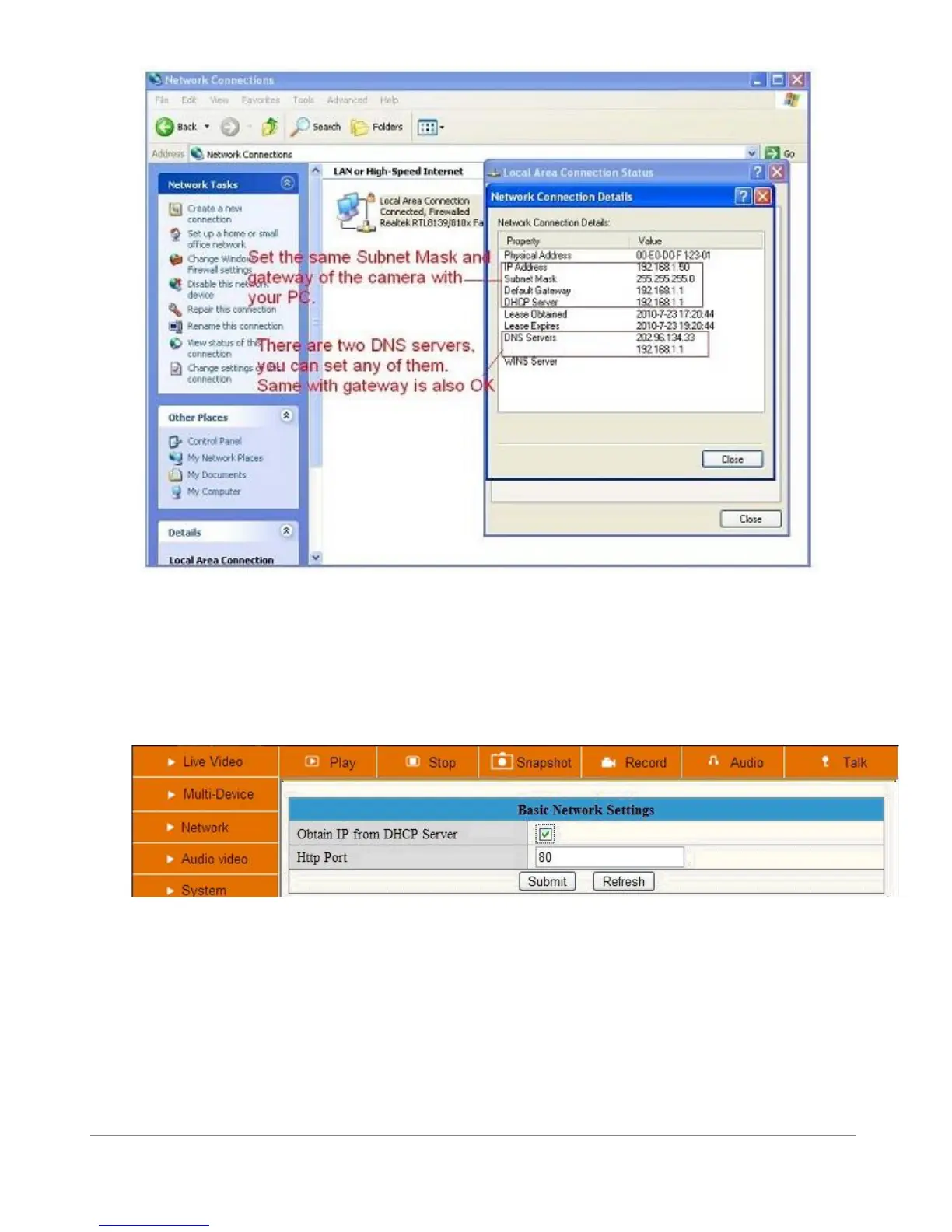
Figure 5.9
If you don’t know the DNS Server, we suggest you to use the same IP address as the Gateway.
Most routers will supports DHCP function, you can choose “Obtain IP from DHCP Server” to get dynamic IP, however we
strongly recommend you to use a Static IP for remote login to the camera (see step 3.3)!
Figure 6.0
Http Port: In most cases your Internet Service Provider blocks this port (80), you may change it to another port number
such as 81, 82, 83 etc. Make sure that if you have more than one camera to give each camera a unique port number to
avoid login problems.



 To Next Page