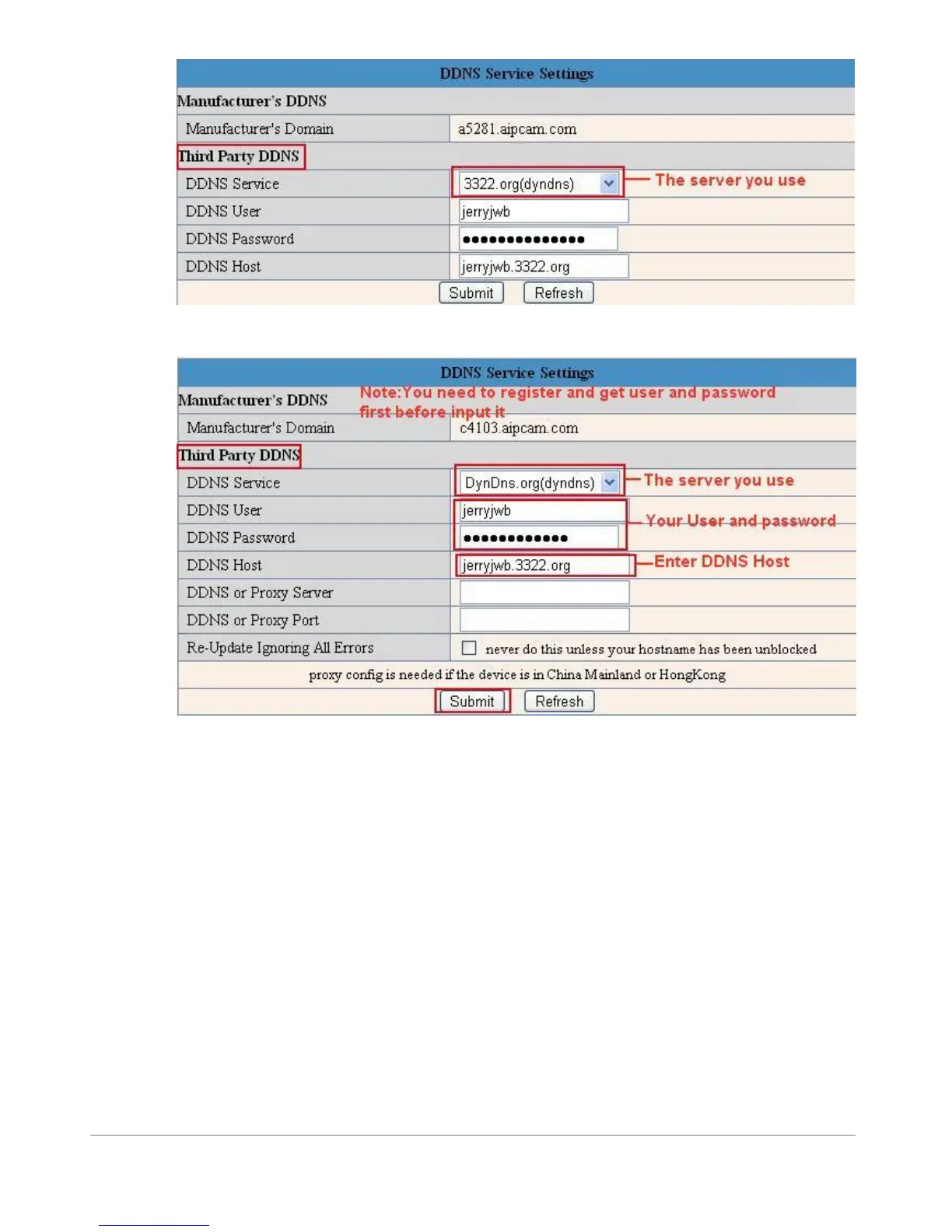
Figure 7.2
Figure 7.3
You have to register an account first, enter the user, password, and host.
NOTE: Only 1 DDNS can be chosen, for example, if you use the manufacturer’s DDNS, the third party one won’t work, if
you use the third party DDNS, the manufacturer’s one won’t work.
1.9.6 To change the camera’s port. (Always change your port!)
Open the IP Camera Tool from your Desktop select the ebode camera (it will turn blue) and right-mouse click and choose
network configuration. The default port of camera is “80”, please change “80” to any other one you like, such as 81, 82,
83 etc. Click “OK”, the camera will reboot, wait about 30 seconds.



 To Next Page