EasyManua.ls Logo

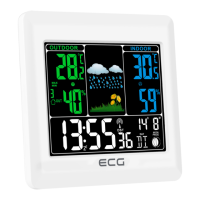
ECG MS 007 - User Manual

ECG MS 007
48 pages
Go to English
Print Icon
To Next Page IconTo Next Page
Loading...
Před uvedením výrobku do provozu si důkladně pročtěte tento návod abezpečnostní pokyny, které jsou vtomto návodu obsaženy. Návod musí být vždy přiložen kpřístroji. Pred uvedením
výrobku do prevádzky si dôkladne prečítajte tento návod a bezpečnostné pokyny, ktoré sú vtomto návode obsiahnuté. Návod musí byť vždy priložený k prístroju. Przed pierwszym użyciem
urządzenia prosimy o uważne zapoznanie się z instrukcjami dotyczącymi bezpieczeństwa i użytkowania. Instrukcja obsługi musi być zawsze dołączona. A termék használatba vétele előtt
gyelmesen olvassa el ezt ahasználati útmutatót és az útmutatóban található biztonsági rendelkezéseket. Ahasználati útmutatót tartsa akészülék közelében. Bitte lesen Sie vor der Inbetriebnahme
des Produktes diese Anleitung und die darin enthaltenen Sicherheitshinweise aufmerksam durch. Die Bedienungsanleitung muss dem Gerät immer beigelegt sein. Always read the safety&use
instructions carefully before using your appliance for the rst time. The user´smanual must be always included.
MS 007
CZ
METEOROLOGICKÁ STANICE
SBEZDRÁTOVÝM ČIDLEM
NÁVOD KOBSLUZE
HU
METEOROLÓGIAI ÁLLOMÁS
VEZETÉK NÉLKÜLI ÉRZÉKELŐVEL
HASZNÁLATI ÚTMUTA
SK
METEOROLOGICKÁ STANICA
SBEZDRÔTOVÝM SNÍMAČOM
NÁVOD NA OBSLUHU
DE
METEOROLOGISCHE STATION MIT
DRAHTLOSEM SENSOR
BEDIENUNGSANLEITUNG
PL
STACJA METEOROLOGICZNA
ZCZUJNIKIEM BEZPRZEWODOWYM
INSTRUKCJA OBSŁUGI
GB
WEATHER FORECAST STATION
WITH WIRELESS SENSOR
INSTRUCTION MANUAL


Questions and Answers

  • T
    Tyler SimmonsJul 28, 2025
    Why does my ECG MS 007 Weather Station display incorrect information?
    • M
      Margaret GreeneJul 28, 2025
      If your ECG Weather Station is showing incorrect information or strange characters, this might be due to static electricity or interference from other devices. Try pressing the RESET button on the back of the device. This will reset the date and time, and the weather station will start receiving the radio control signal again.
  • R
    Ryan TapiaAug 6, 2025
    What to do if my ECG MS 007 shows incorrect temperature?
    • J
      Jenny CastilloAug 6, 2025
      If your ECG Weather Station shows incorrect temperature, try resetting the device. Also, make sure the outdoor temperature sensor isn't in direct sunlight or near any hot or cold sources.
  • T
    Teresa ThompsonAug 16, 2025
    How to fix an empty LCD display on my ECG MS 007?
    • C
      Christopher NunezAug 16, 2025
      If the LCD display on your ECG Weather Station is blank, try pressing the RESET button on the device. If that doesn't work, replace the batteries.

Summary

Safety Instructions

Device Description

Front View

Overview of the main unit's front panel components and indicators.

Rear View

Details of the main unit's rear panel connections and features.

Wireless Transmission Conditions

Quick Setup Guide

DCF Signal Reception

Clock and Alarm Functions

Setting the Clock

Instructions for setting the time and date on the weather station.

Setting the Alarm

Steps to configure the alarm time and activation.

Alarm On;Off and Snooze

How to enable, disable, and use the snooze function of the alarm.

Display Brightness Adjustment

Weather Forecast Usage

Weather Symbols Explained

Troubleshooting Common Issues

No Outdoor Temperature Display

Solutions for when the outdoor temperature is not shown on the display.

Incorrect Temperature Information

Steps to resolve issues with inaccurate temperature readings.

Technical Specifications

Waste Disposal Information

ECG MS 007 Specifications

General IconGeneral
Product colorBlack
Measuring functionsIndoor thermometer, Outdoor thermometer
Outdoor sensors range30 m
Measuring functions trend displayThermometer
Measuring functions graphic displayYes
Temperature measurement range (inside) (T-T)0 - 50 °C
Temperature measurement range (outside) (T-T)-50 - 70 °C
Battery typeAAA
Battery voltage1.5 V
Number of batteries (receiver)2

Related product manuals