EN
44
QUICK SETUP
Step 1:
Inserting abackup battery
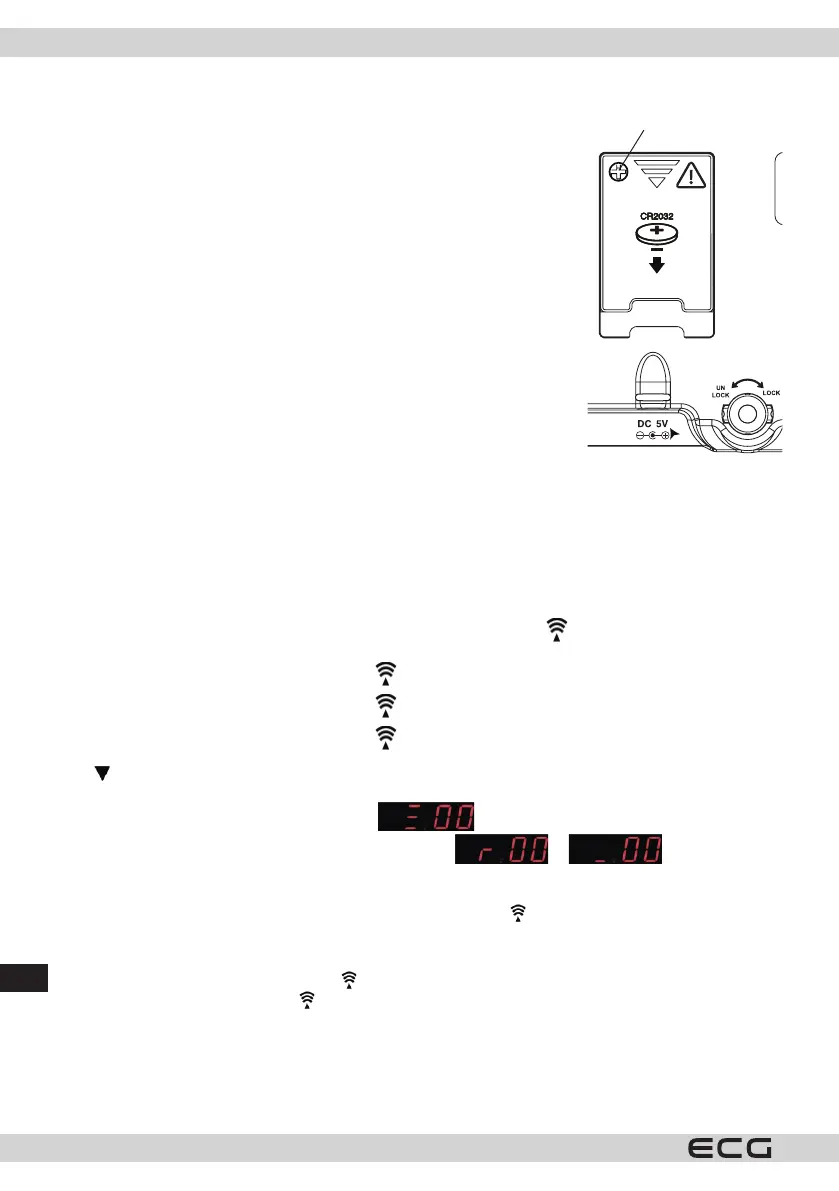
Loosen the screw and remove the battery compartment cover on the back
of the device by sliding it in the direction of the arrow, then insert the lithium
battery (1 × CR2032). Make sure that the battery is inserted with the + pole up.
Replace the battery compartment cover and screw in the lock screw.
Step 2:
Plug the AC/DC adapter in the electrical outlet. Insert the DC connector of
the adapter in the power jack at the rear of the device. Attach the stand to the
underside of the weather station.
Step 3:
Put the device and the wireless sensor close. Slide open the battery cover on
the rear of the wireless sensor and insert two (AAA) alkaline batteries. Observe
the polarity marked in the battery compartment. Put back the battery
compartment cover. The weather station will start receiving signal from the
wireless sensor within few seconds. Now you can place the wireless sensor
outside in adry and shady place.
Step 4:
Peel o the protective lm from the front panel. The device is now ready for use.
Step 5:
Once the weather station receives the data about the outside temperature, it will start to search for the DCF
signal.
THE RECEPTION OF THE DCF SIGNAL AND SIGNAL INDICATOR
After the device is switched on, it will start receiving the DCF signal. Icon ashes.
Search for DCF signal (icon ashes)
Successful reception (icon light stays steady)
Reception failed (icon disappears)
Press /WAVE once during the reception of the signal to display the reception mode and the strength of the
signal. The following will be displayed:
Three bars on the display indicate strong signal
When the DCF signal is weak or none, the display will show or .
The signal strength may vary from one to three bars during the reception. This is normal, because the device
detects the DCF signal together with other signals.
Press the SET button to return to time display with ashing symbol
.
Successful or unsuccessful reception
When the reception is successful, the icon will be steady (stops ashing).
In case of reception failure, the icon disappears from the display.
Automatic and manual reception
The device starts automatic reception always at 1:00, 2:00 and 3:00. If the device does not succeed in receiving
the DCF time signal at 3:00, it will try the reception again at 4:00. In case of another failure, it will try at 5:00. If
it fails again to receive the signal, it automatically starts receiving again at 1:00 the following day.
Screw



 To Next Page