34
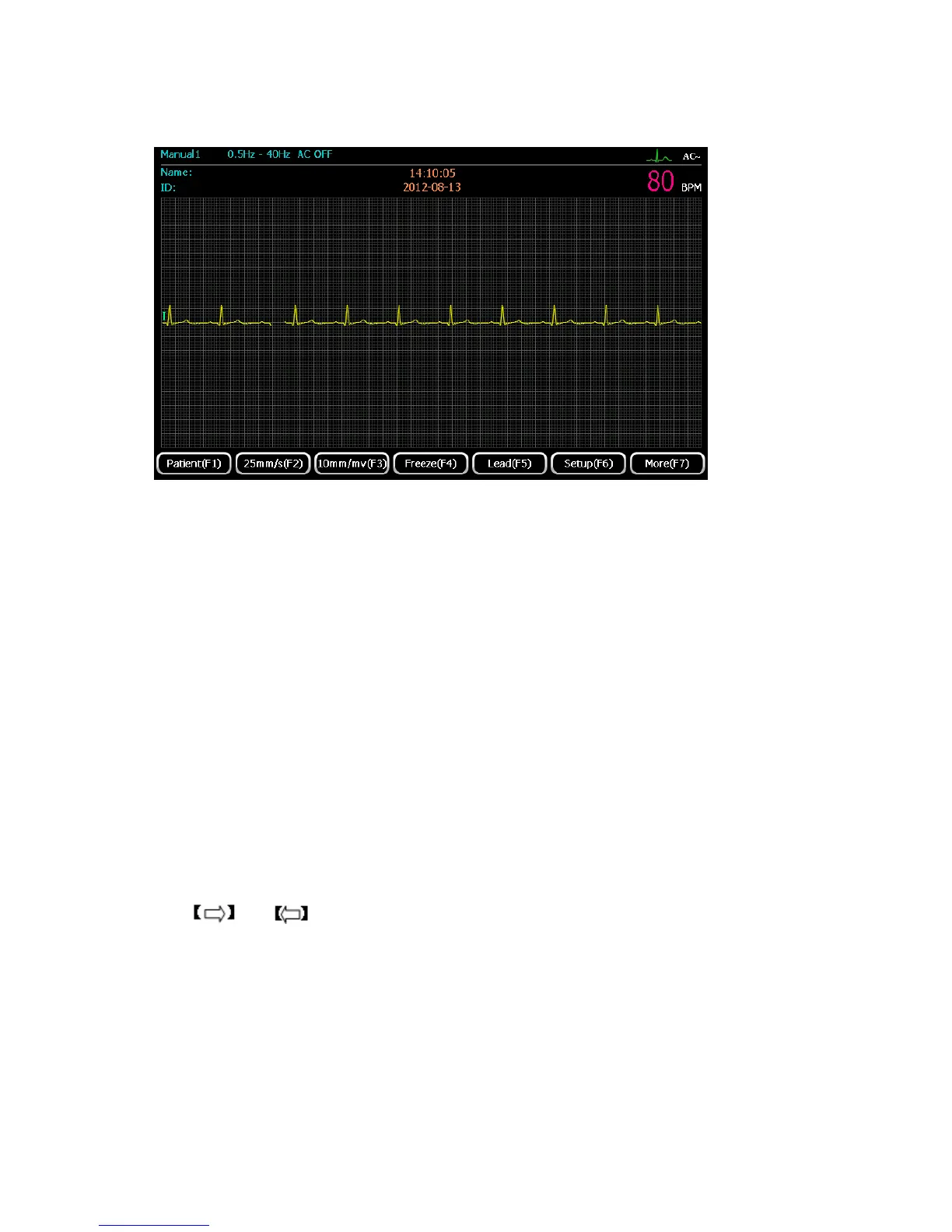
Select “Manual 1” mode by pressing 【manual】 button. Users can select one lead in 12 leads to
display. The display interface is shown as the below:
When the main interface is displayed, press F1 Patient to enter the Patient Information interface.
1) Press F2 to set paper speed, 5mm/s, 6.25 mm/s, 10mm/s, 12.5 mm/s, 25 mm/s, 50 mm/s are
available to select.
2) Press F3 to set sensitivity, 2.5mm/mV, 5 mm/mV, 10 mm/mV, 20 mm/mV are available to
select.
3) Press F4 to freeze the ECG waveform displayed on main interface.
4) Press F5 to see electrodes placement indication.
5) Press F6 to enter system settings to set the system parameter.
6) Press F7 to enter the next page of the main interface.
7) When the waveform displayed on the display, press【Start/Stop】to enable printing, the printing
duration is controlled by user, press 【Start/Stop】 again to stop printing.
8) Press and to switch lead.
Manual 2
Select “Manual 2” mode by pressing 【manual】button. Users can choose any one lead in12 leads
and rhythm lead to display. The display interface is shown as below:



 To Next Page