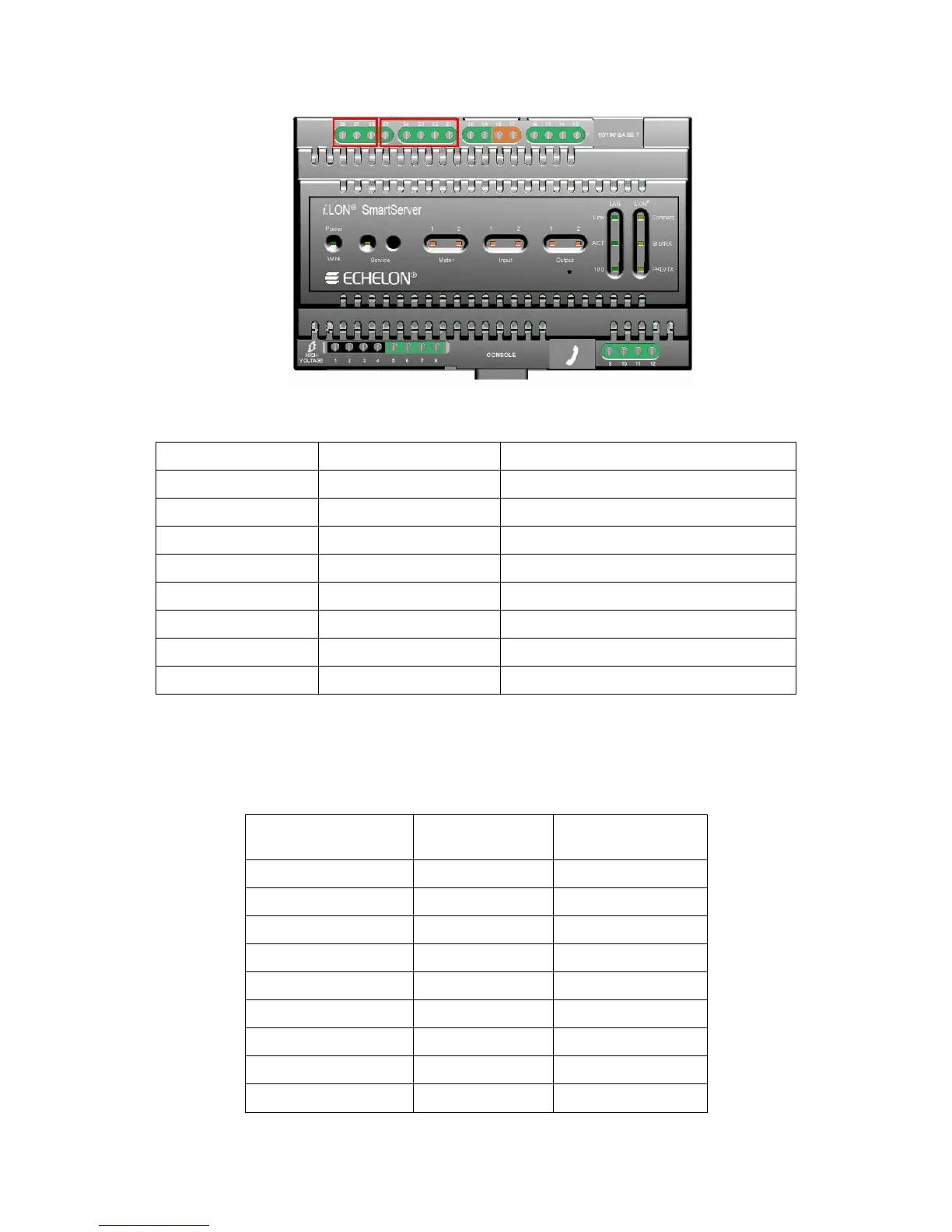
i.LON SmartServer Hardware Guide 11
The following table lists the enclosure markings for the RS-232 and RS-485 port screw terminals and
on the SmartServer and their connection types.
Screw Terminal Enclosure Marking EIA-232/RS-485 Connection
21 RTS RS-232 RTS
22 CTS RS-232 CTS
23 RXD RS-232 Receive
24 TXD RS-232 Transmit
25 GND RS-232 ground/RS-485 ground (as needed)
26 Shield GND RS-485 cable shield
27 RT- RS-485 (-)
28 RT+ RS-485 (+)
Connecting an External GSM Modem to the RS-232 Serial Port
You can connect an external GSM modem to your SmartServer using the RS-232 serial port. To do
this, you need to order a special cable from EBV Elektronik (part number ECH-RS232/500). For more
information, go to the EBV Web site at
www.ebv.com. The serial connector from the modem must be
attached to the RS-232 ports on the SmartServer as specified in the following table.
External GSM
Modem DB 9 Pin
Screw Terminal Enclosure Marking
1 NC N/A
2 23 RXD
3 24 TXD
4 NC N/A
5 25 GND
6 NC N/A
7 21 RTS
8 22 CTS
9 NC N/A



 To Next Page