Page 11
PA2040
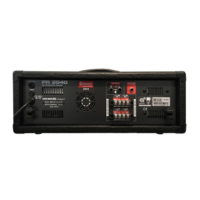
26. AC Power Cable
The PA2040 includes a pre-installed AC power cable. This can be
connected to a suitable AC power outlet to provide power to the
mixer. Be sure to check local voltage levels before attempting to
use this device.
26
Power Cable
220
More on the USB Recorder
Playback of Files
After connecting a USB ash drive the USB recorder will take a few
seconds to read les on the disc. Use the Reverse/Cue buttons
to navigate up and down this menu and the; button to enter.
Press; to play a track. When a track is playing, press the Reverse
or Cue buttons to cue the previous or next track, hold the Reverse
or Cue buttons to skip backwards or forwards through tracks, push
the; button to pause playback or the Stop/Menu button to return
to the previous menu. When in the 'Music' playback menu, push
and hold the Stop/Menu button to alter the equalizer mode. You can
push and hold the; button for more playback options.
:USB
II
Playback Display
During playback the screen may show the following properties:
Time (Minutes and Seconds), Repeat Mode, EQ Mode, File Name,
File Directory and Track Number.
WMA MP3
Music 00:10
USB 0001/0013
JL_REC
FILE0001.WAV
F
NOR
A


 To Next Page