
 Need help?
Do you have a question about the Echo Chang PA 2040 and is the answer not in the manual?
Read instructions, heed warnings, avoid water, use dry cloth, ensure ventilation, unplug when unused.
Proper installation, avoid heat sources, check voltage, protect cord, consult electrician for outlets.
Use manufacturer accessories, caution with carts, unplug during storms, risk of electric shock warning.
Turn power off before connecting, ensure suitable voltage, connect cables, ensure proper ventilation.
Adjusts input signals for microphones, line-level devices, and Bluetooth.
Connects microphones and external audio devices via XLR or 1/4" connectors.
Adjusts digital echo effect level, speed, and repeat count for desired sound.
Adjusts bass/treble frequencies and controls overall master output volume.
Select speaker zones and control USB playback and recording functions.
Navigate tracks, menus, and manage recording start/save functions.
Line outputs, VU meter, Bluetooth status, stop/menu, and power button.
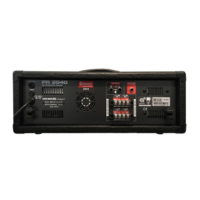
Connect FM antenna for radio reception and locate the protective fuse holder.
Main output for external devices and 4-ohm speaker outputs.
100V outputs for distributed line setups with specialized speakers.
Navigate and play audio files from a connected USB flash drive.
Screen shows playback details like time, mode, file name, and track number.
Delete files from USB/internal memory, record audio in WAV or MP3 format.
Transfer files to internal storage, select system language (English/Persian).
Access and scan for stations using the built-in FM radio function.
Connect antenna, navigate to FM icon, use 'Auto Search' to find stations.
Record station, pause, resume, and save broadcasts via 'Record Ctl' menu.
Record audio directly to internal storage, pause, resume, and save recordings.
Files are named FILE0001.WAV and can be recorded in MP3 or WAV format.
Record audio directly to a FAT-32 formatted USB drive, pause, resume, and save.
Files are named FILE0001.WAV and can be recorded in MP3 or WAV format.
Diagram illustrating how to connect microphones, keyboards, and other audio devices.
 General
| Brand | Echo Chang |
|---|---|
| Model | PA 2040 |
| Category | Music Mixer |
| Language | English |

 To Next Page
